
Watchlist
Watchlist: Your dashboard for monitoring the movements of your favorite coins and the market's winning traders.
Instead of getting lost in the overwhelming world of crypto, you can now focus on what really matters.
With the Watchlist feature, you can easily filter and save only the tokens and traders you're interested in, helping you quickly find and track your favorites.
How to use the watchlist?
Step 1: Create a watchlist
There are two ways to create a watchlist.
- [1] Add tokens/wallets one by one: Suitable for those who are looking for new tokens/traders
- [2] Add tokens/wallets in bulk: Suitable for those who already have a favorite list of tokens/traders
[1] Add tokens one by one
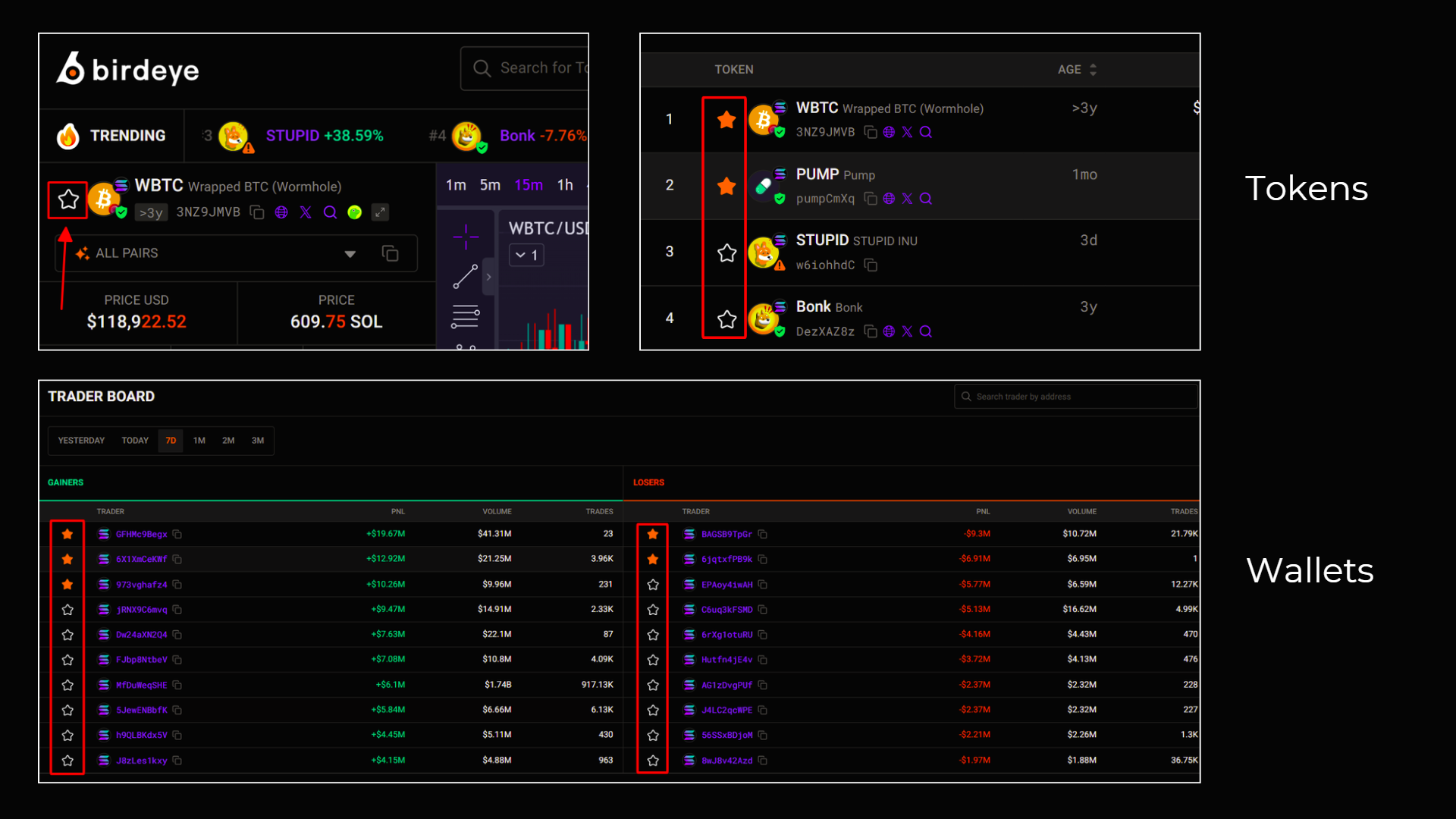
Whenever you find a token or trader (wallet) you want to save, find and click the star icon to add it to your watchlist.
[2] Add tokens in bulk
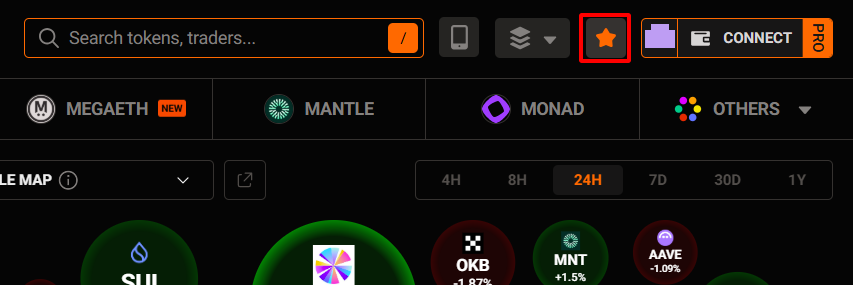
To start, click here (watchlist).
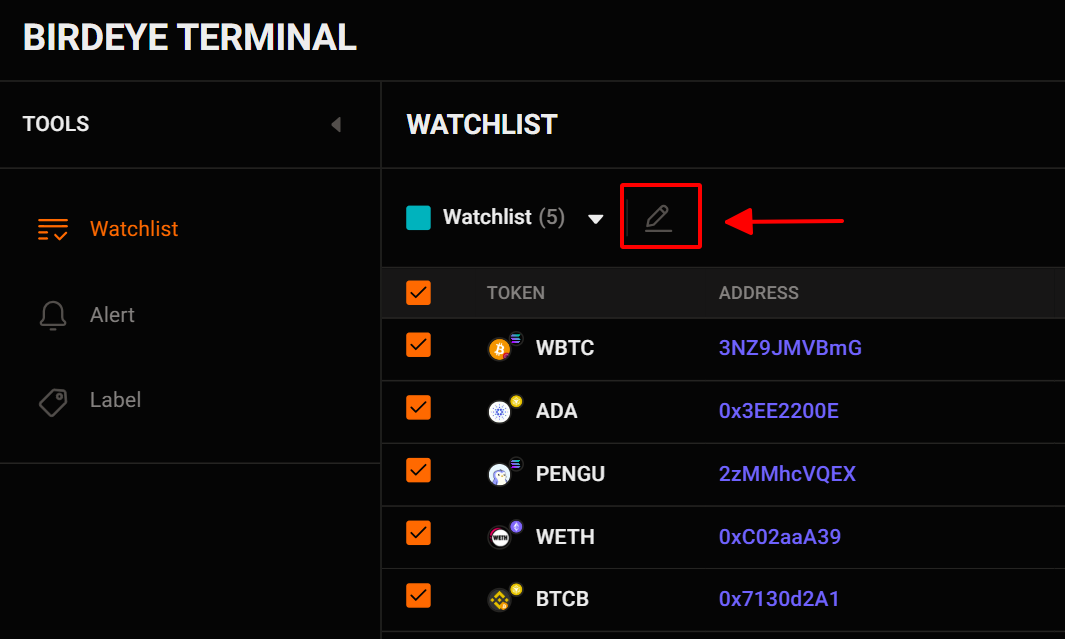
After that, click the edit icon.
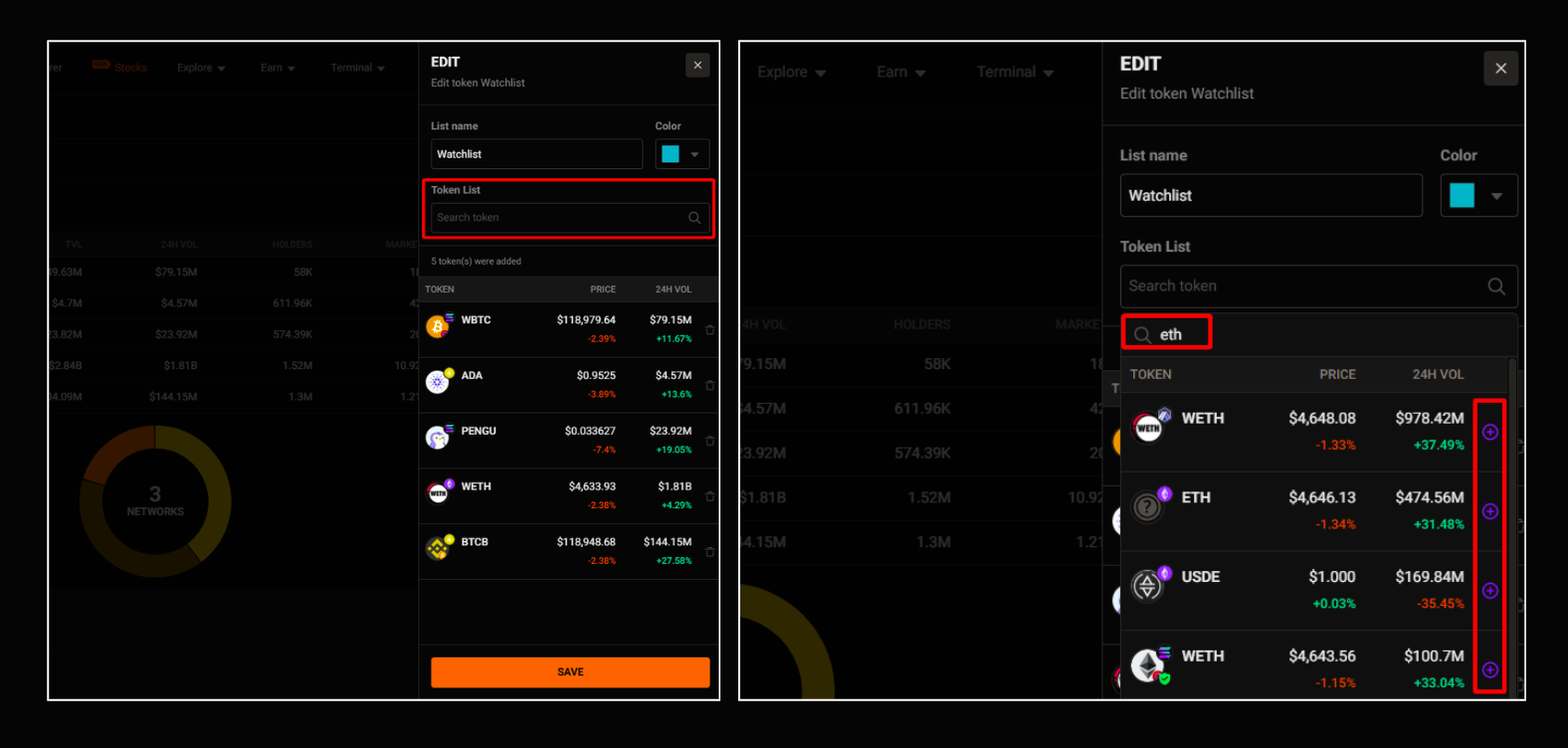
From here, you can search for a token name and add it to your watchlist.
Don’t forget to click the ‘save button’.
💡Tips for you:
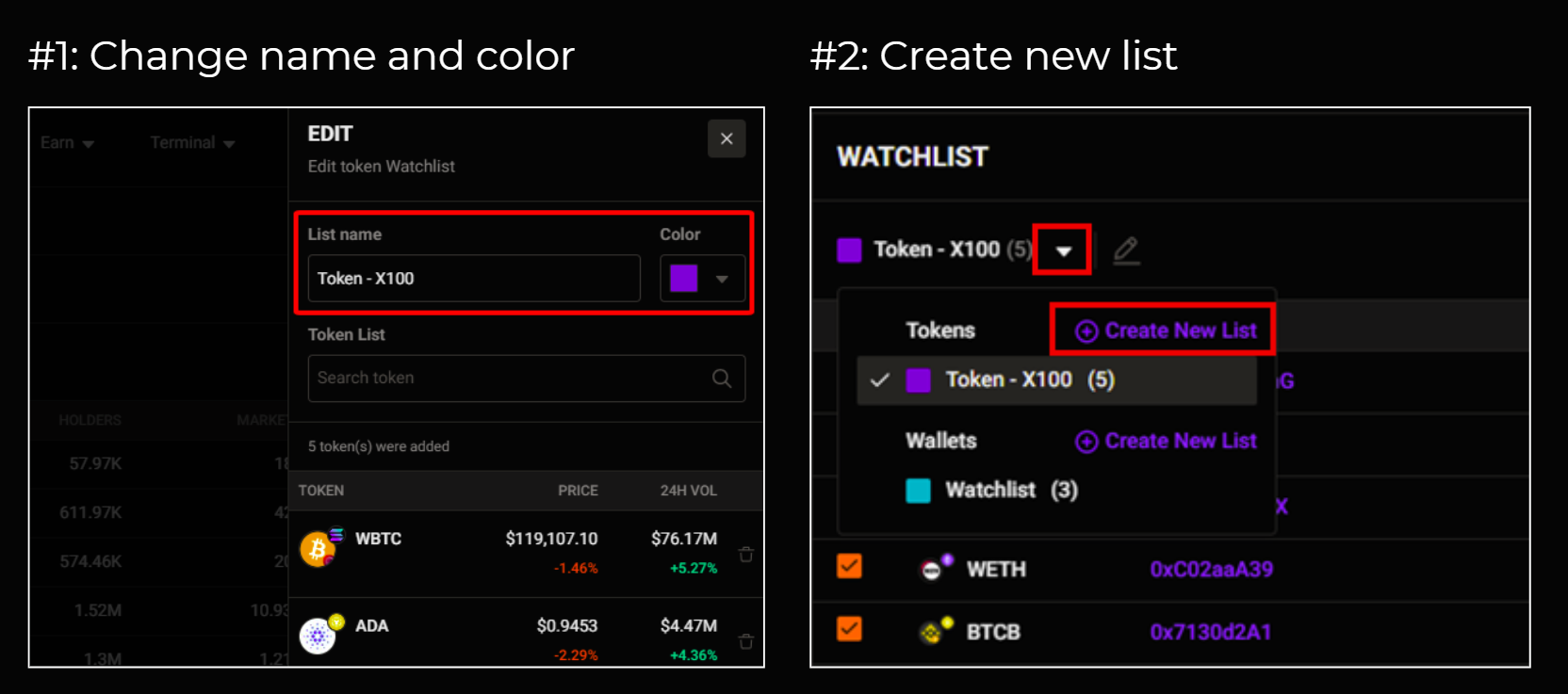
To make it easier to manage:
- You can change the name and color of your watchlist
- You can create a new watchlist (for tokens or wallets) that share a specific characteristic (For example: one watchlist for tokens you currently own, and one watchlist for tokens you are waiting for an opportunity to trade,…).
Step 2: Analyze your Watchlist
As you know, you will have 2 types of watchlists:
- [1] Token watchlist
- [2]: Wallet watchlist
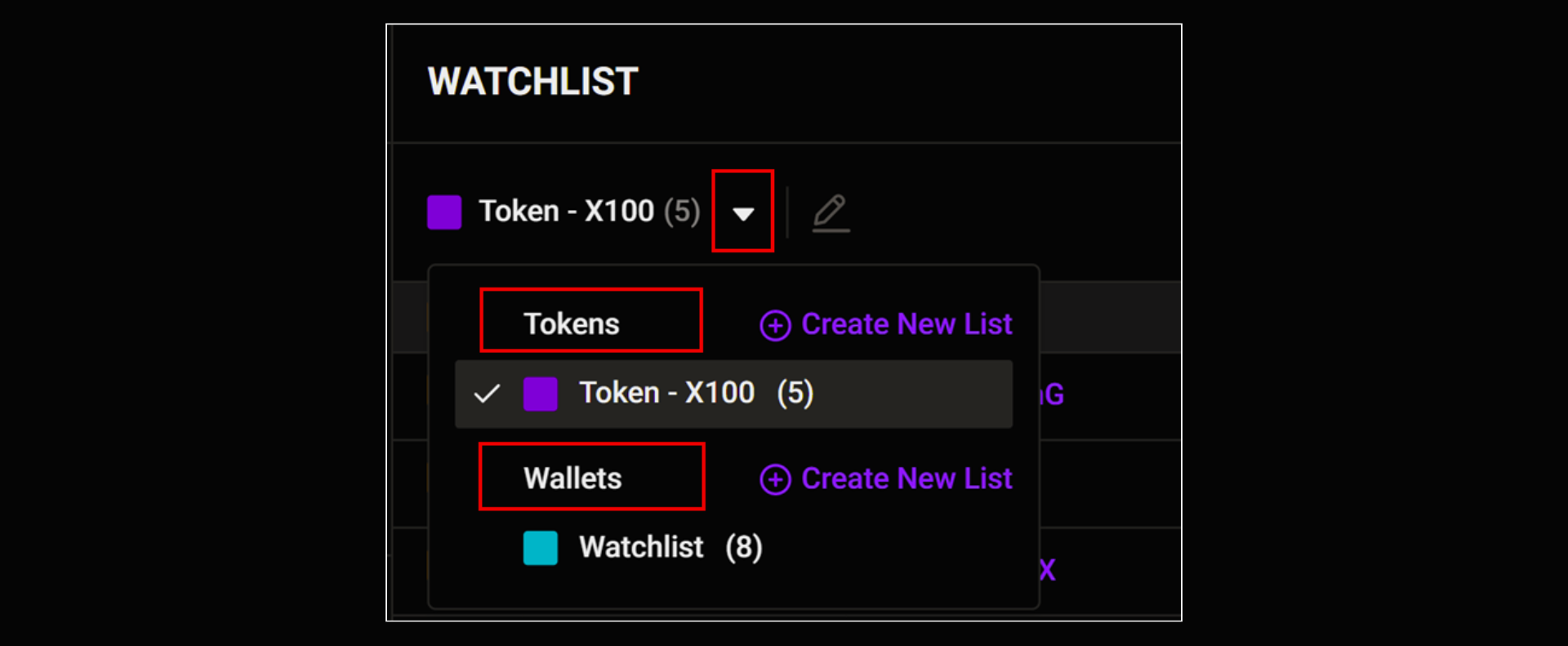
[1] Token watchlist
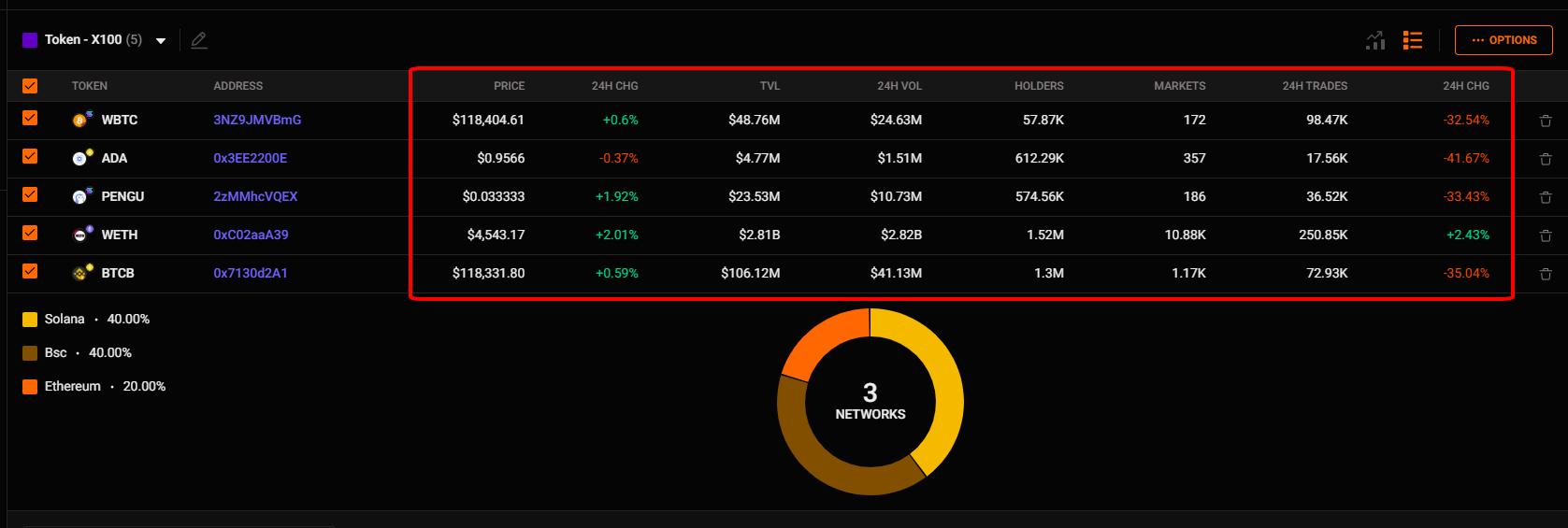
You can quickly view key information about the tokens you're watching:
- Token name and address
- Price, 24h price change, and 24h volume
- Number of holders, number of traders in 24h, and more
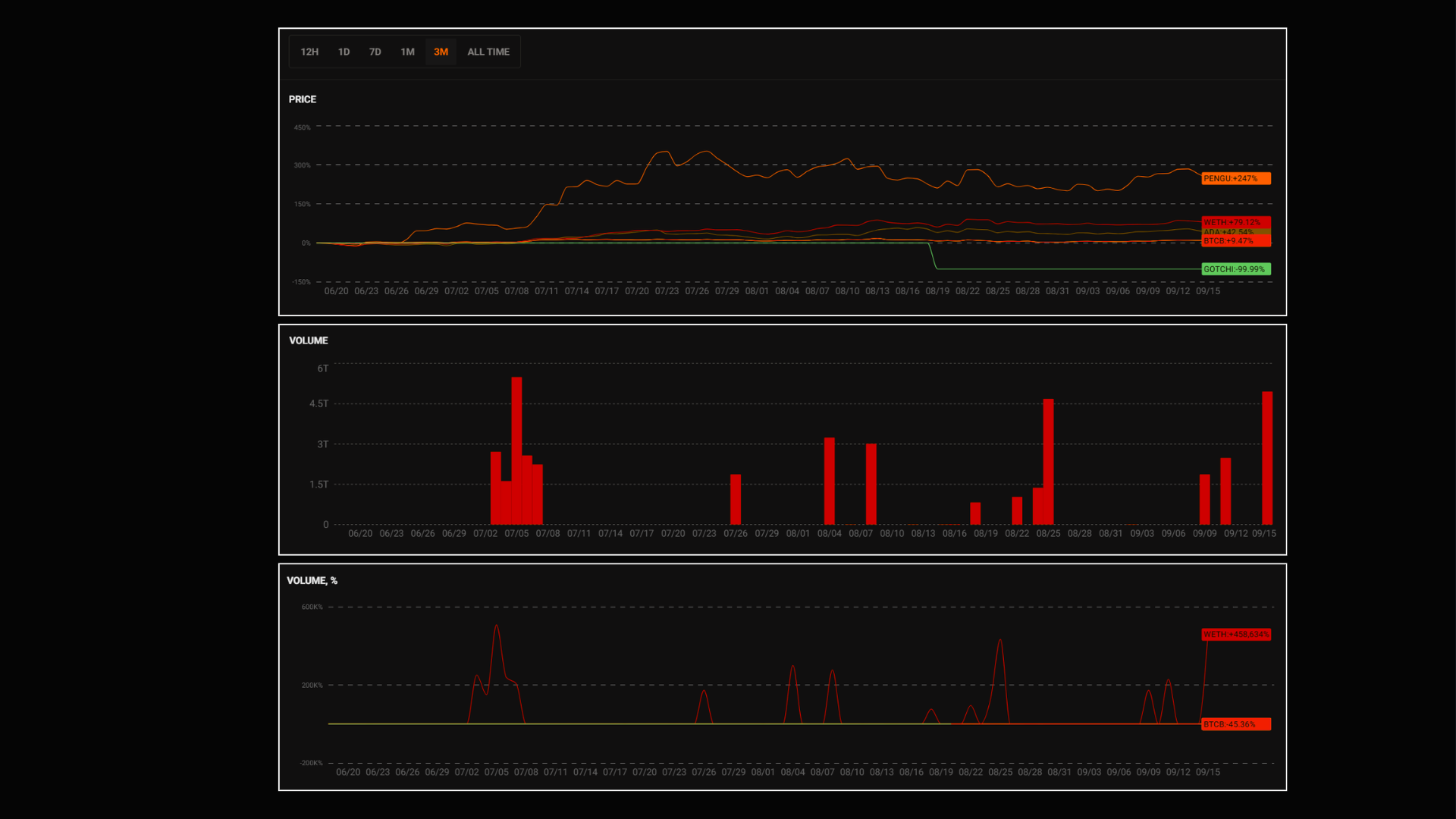
Additionally, some charts are available to help you analyze price and volume trends:
[2]: Wallets Watchlist
To start, click on the wallet watchlist.
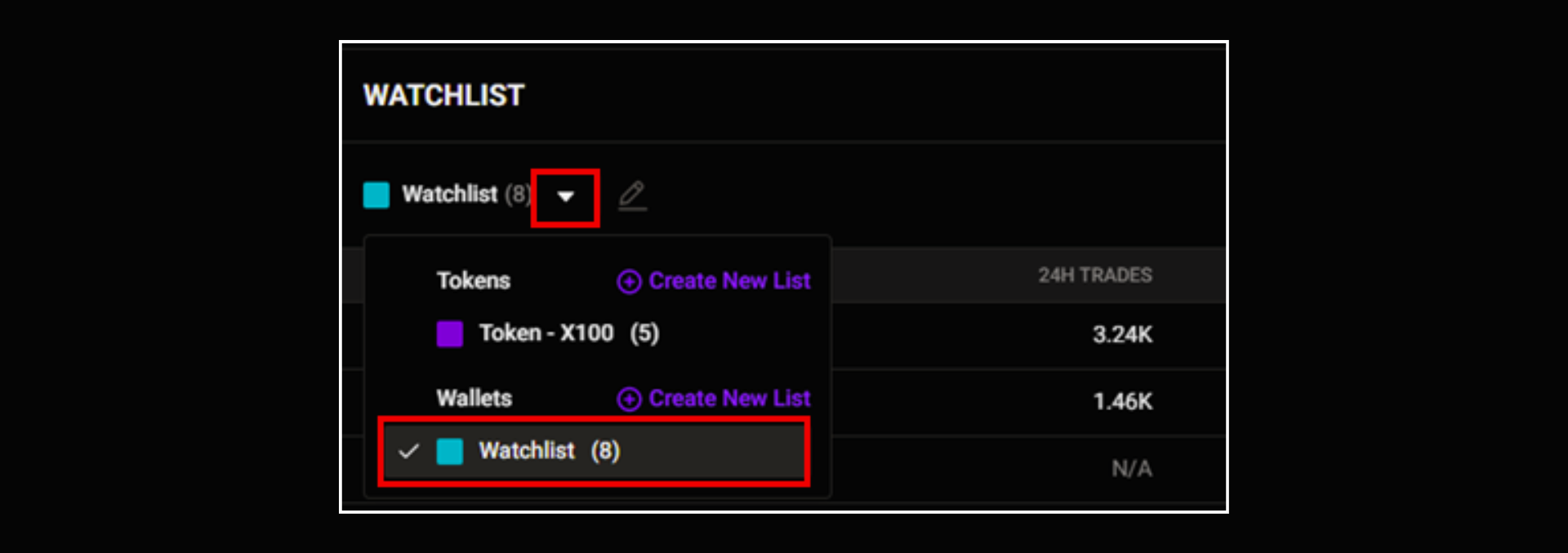
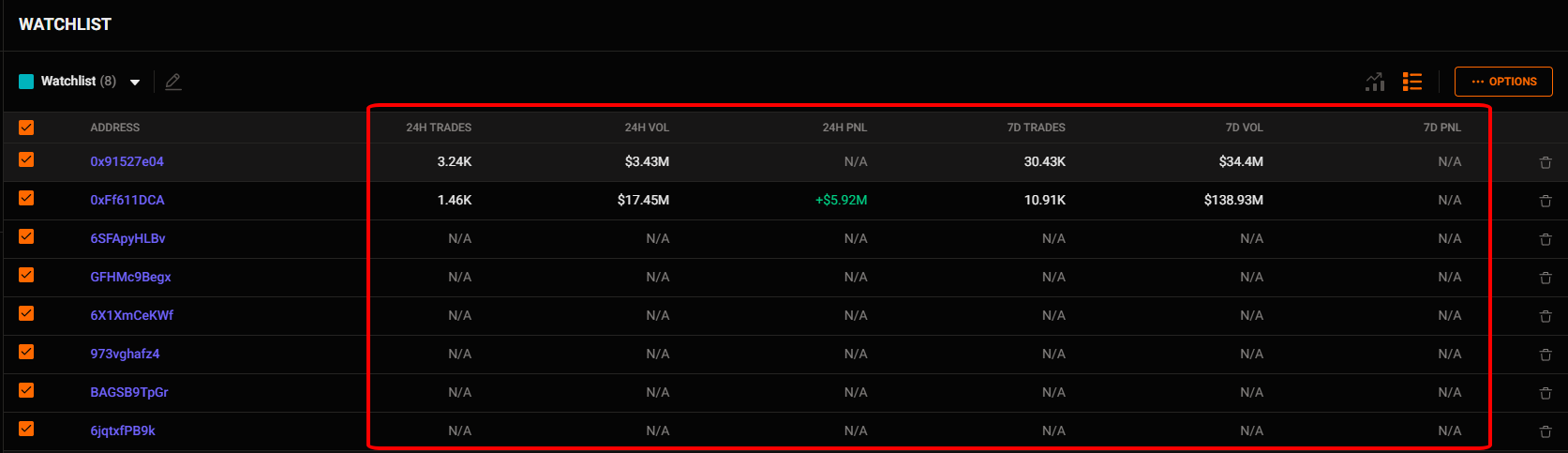
Similar to the token watchlist, you can quickly view key information about the wallet you're watching:
- Wallet address
- Number of transactions, trading volume, and Profit & Loss (P&L) over the last 24 hours or 7 days
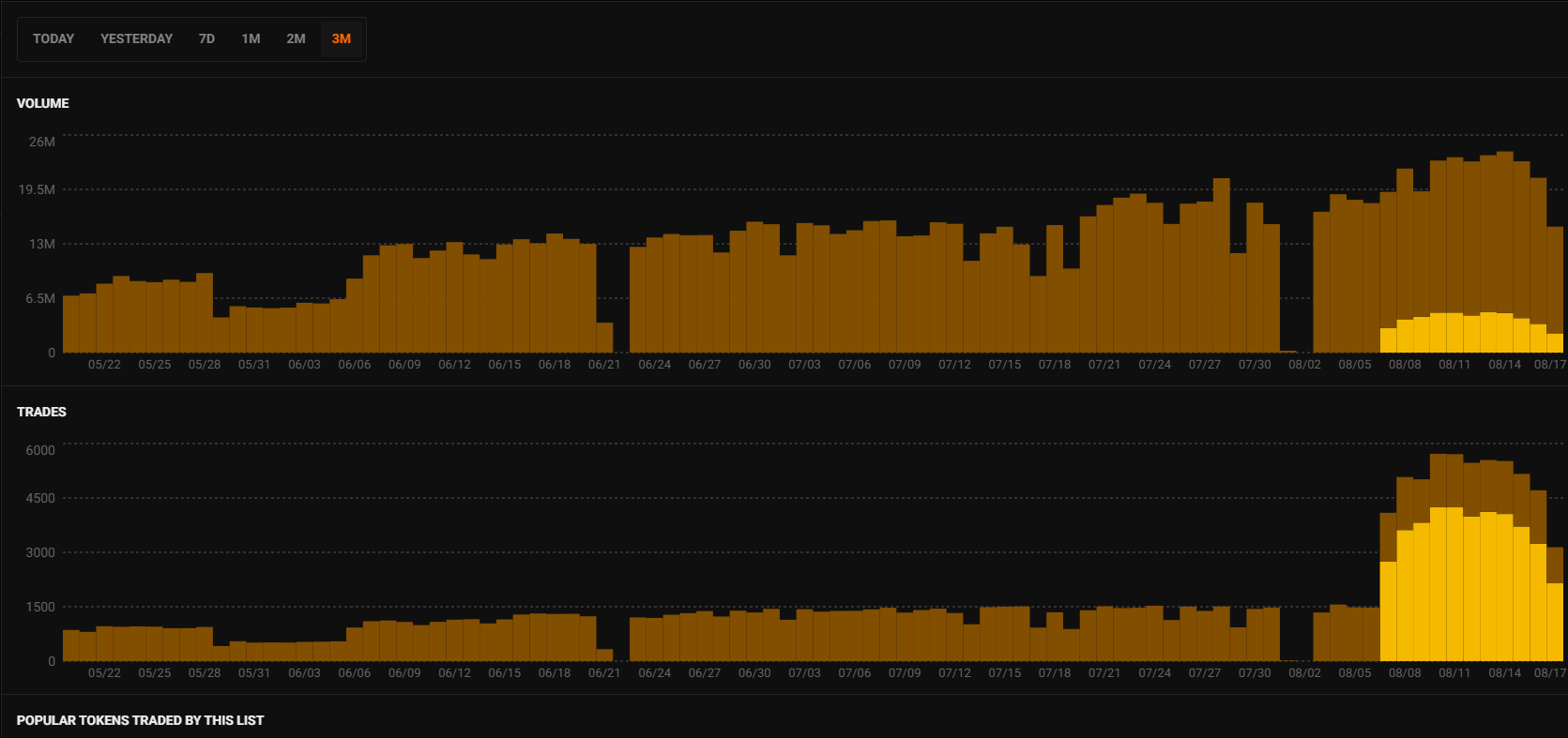
And you can track the volume and trades,… of your wallet watchlist.
You’ll need:
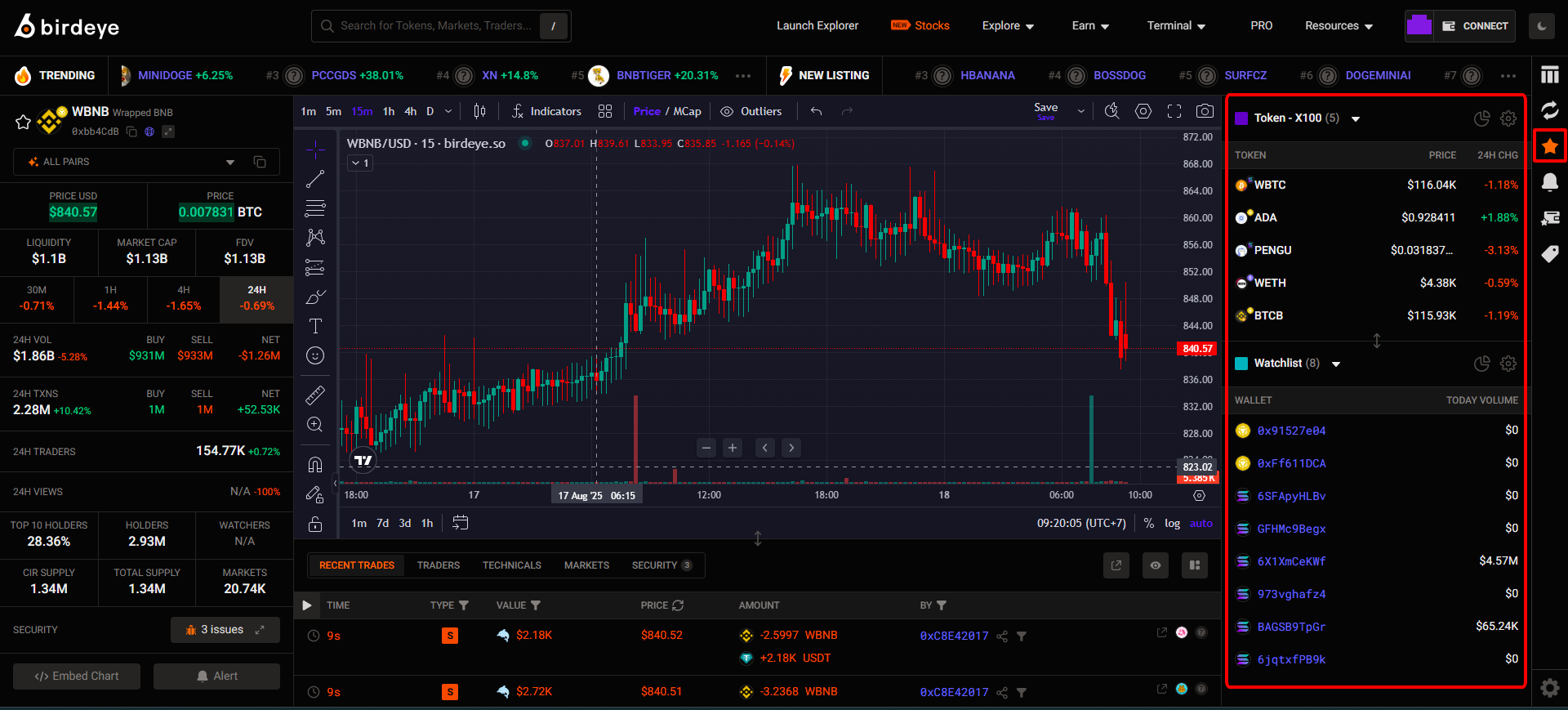
💡Tips for you:
You can easily switch to other tokens to trade by clicking on the watchlist icon on the right sidebar.
You’ll need:
Unlock more with Pro
| PRO Features | FREE Users | PRO Users |
|---|---|---|
| Watchlist - Limit | 1 wallet watchlist | ✅ Multiple watchlists |
Updated 3 months ago