
How to connect wallet
A Quick and Easy Guide!
How to connect wallet
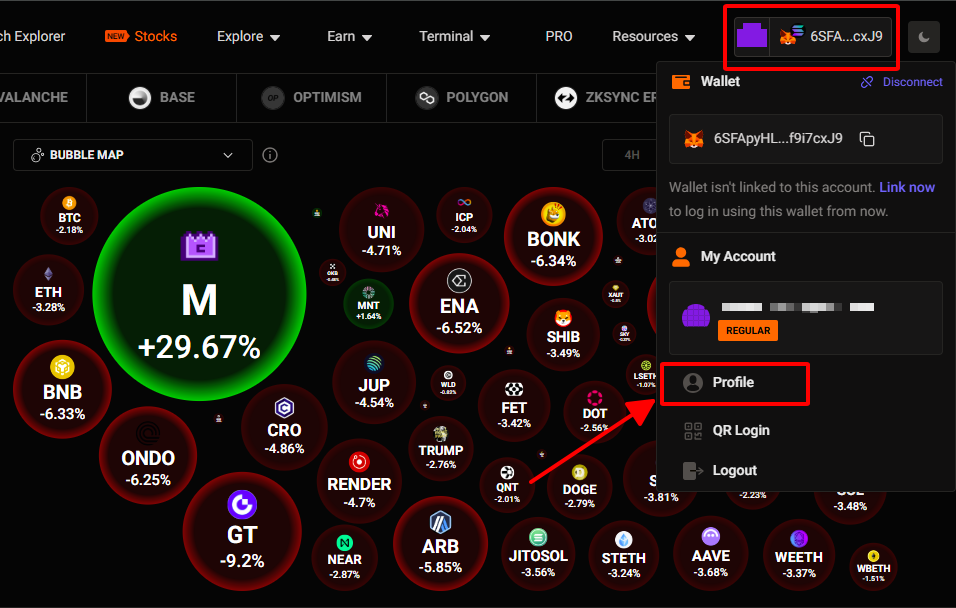
Go to https://birdeye.so/user/profile and click ‘Profile’.
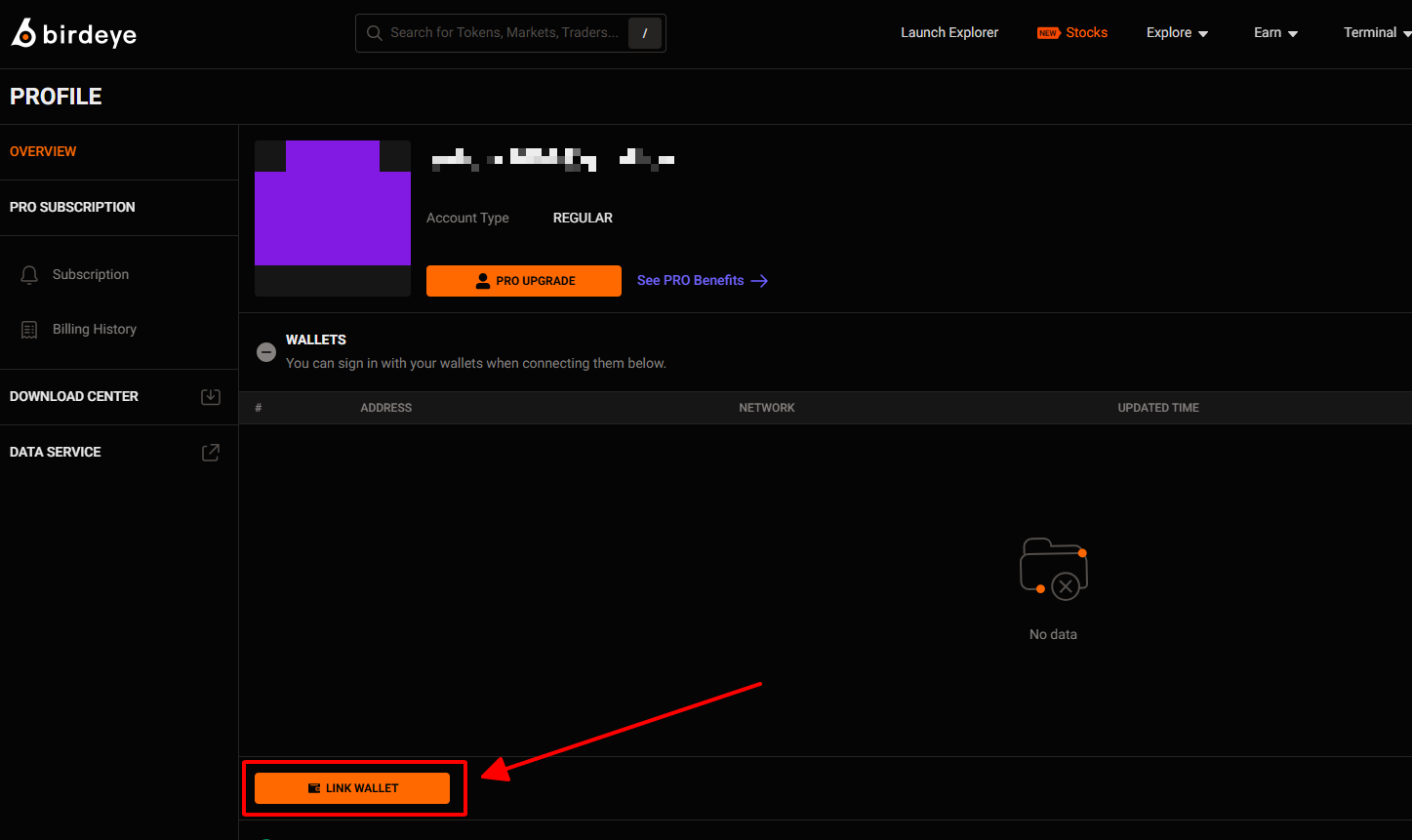
Here, you need to click the ‘LINK WALLET’ button to get started.
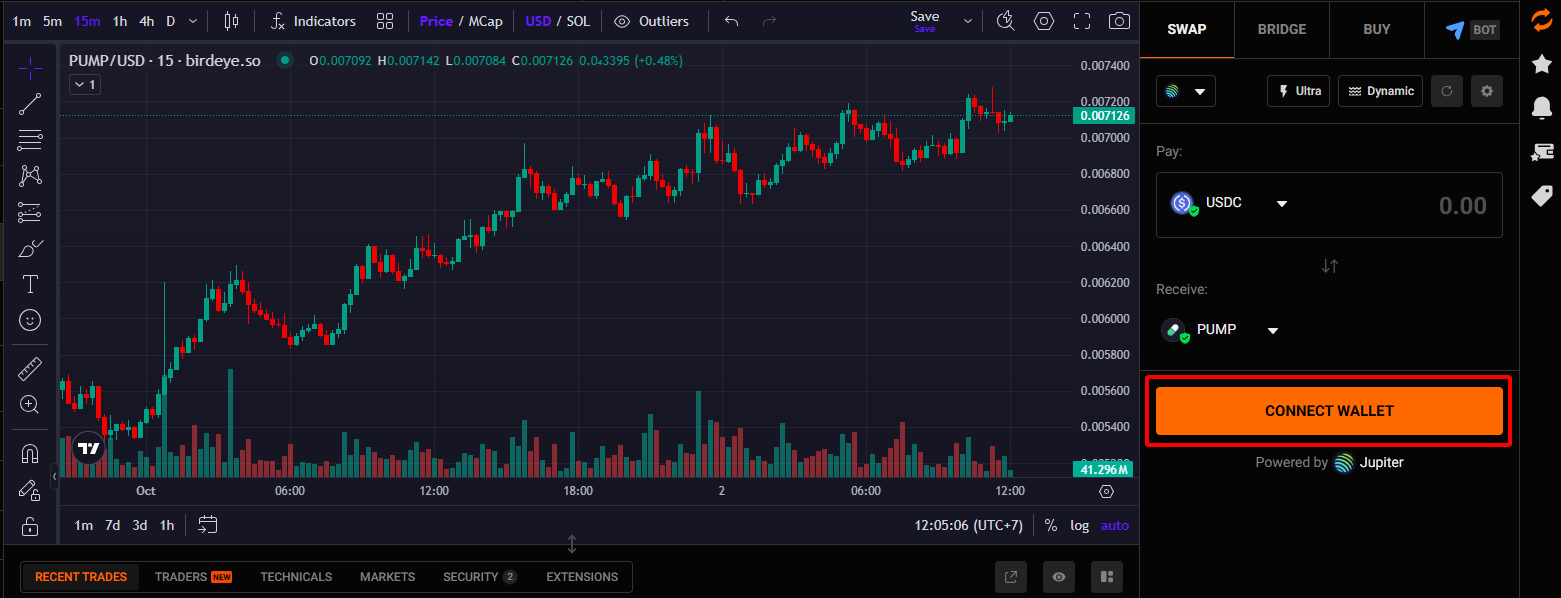
Or you can connect your wallet on the token detail page.
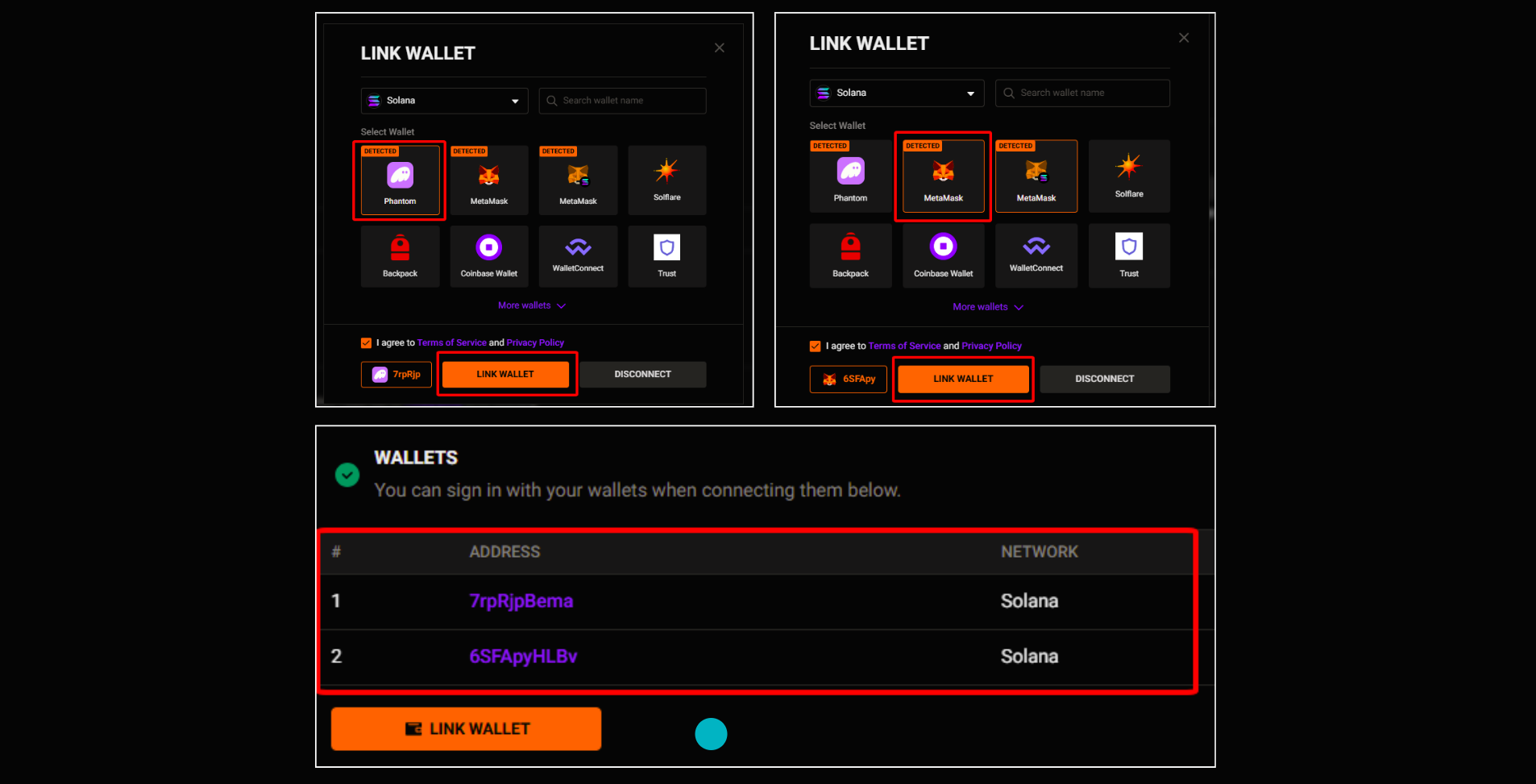
After that, you can select from many wallet types (MetaMask, Phantom, Trust Wallet, Slush,...) and connect them across multiple chains such as Ethereum, BNB Chain, Polygon, Solana, Aptos, Sui, and more.
This means you can flexibly use multiple wallets depending on your needs (e.g., MetaMask for EVM chains, Phantom for Solana,...).
For example:
I connected both my Phantom and MetaMask wallets to my Birdeye account.
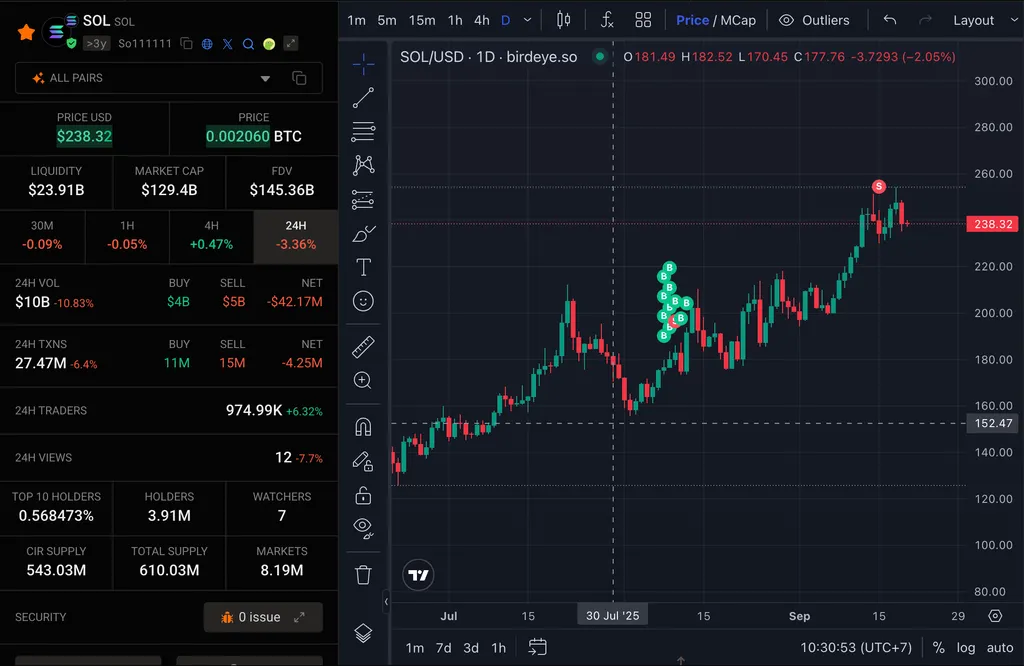
When you connect your wallet, you can easily visualize your past trading history by opening the token's detail page.
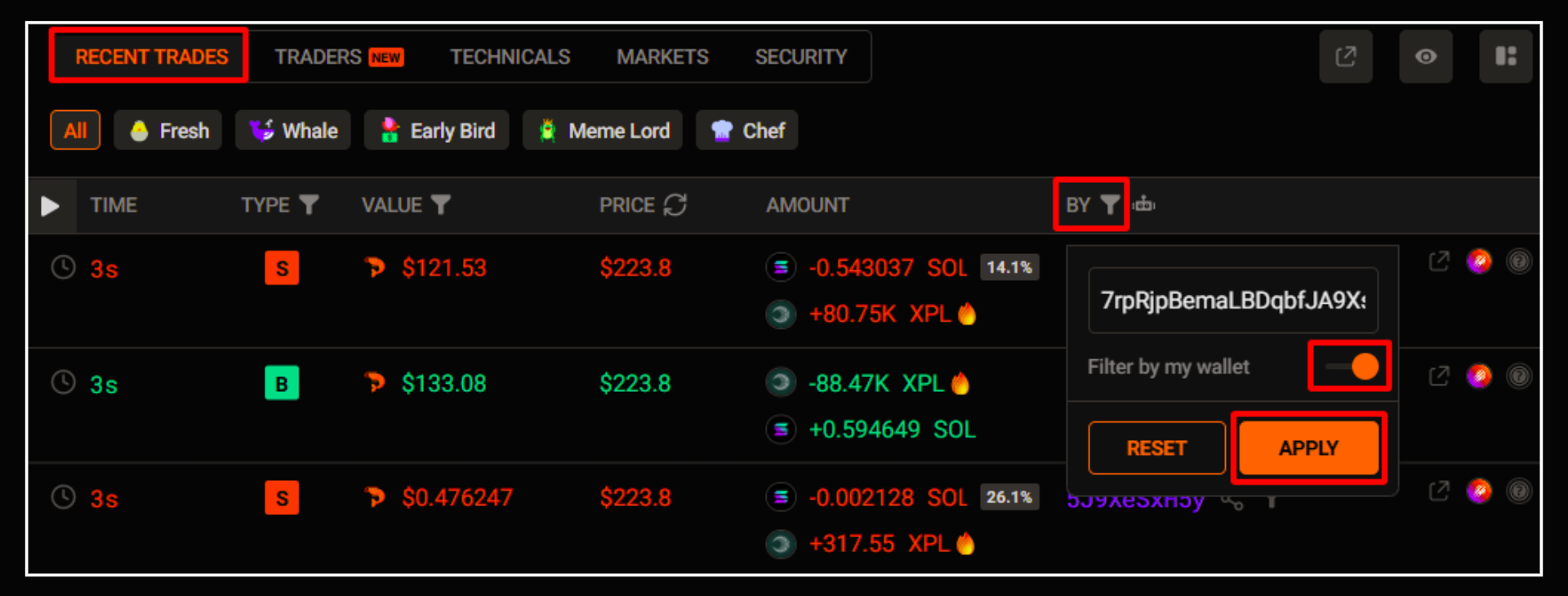
If you select “Filter by My Wallet” on the Recent Trades tab, you’ll see the same history.
If you don't have a wallet yet
No problem!
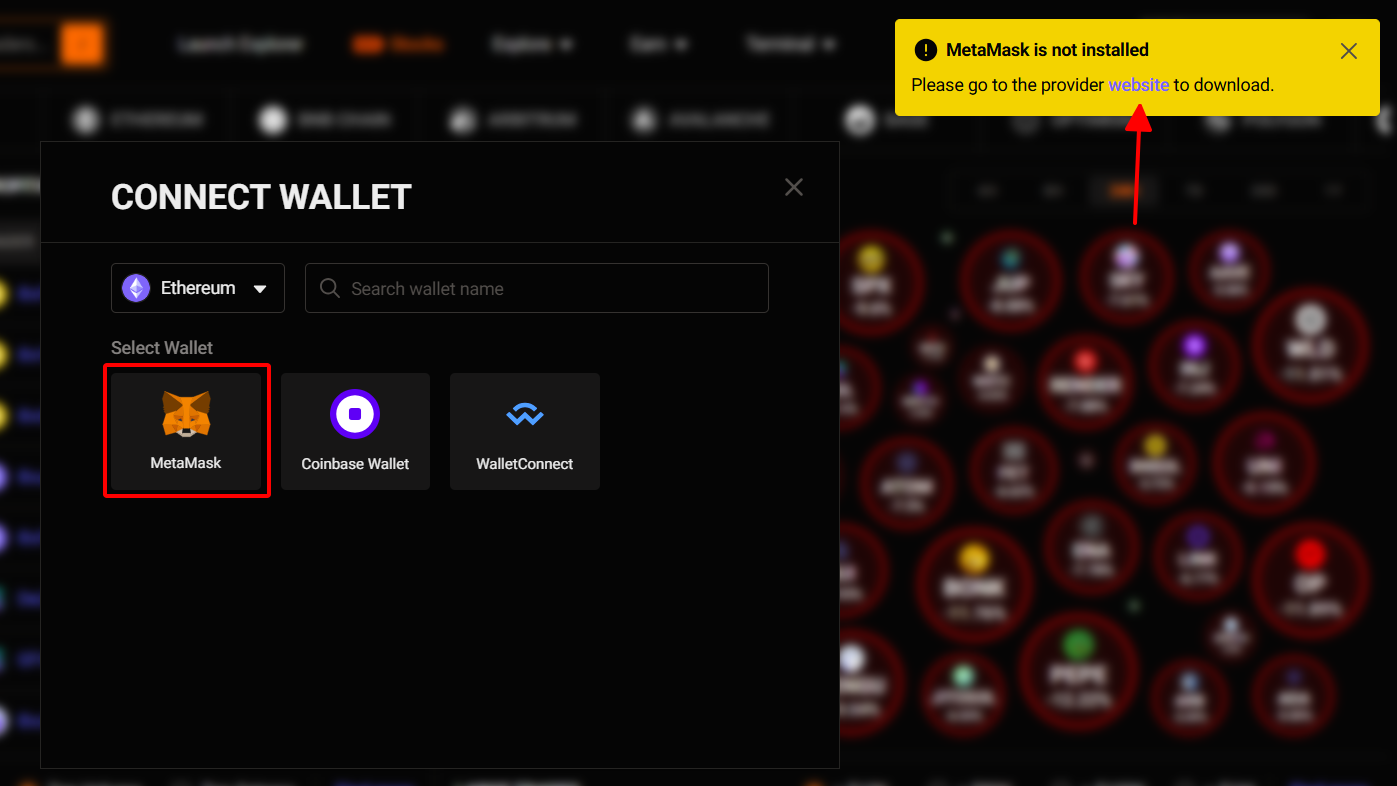
Just pick the wallet you want, and Birdeye will show you setup instructions.
For example:
If you select the MetaMask wallet, click the 'website' link to install and create your wallet.
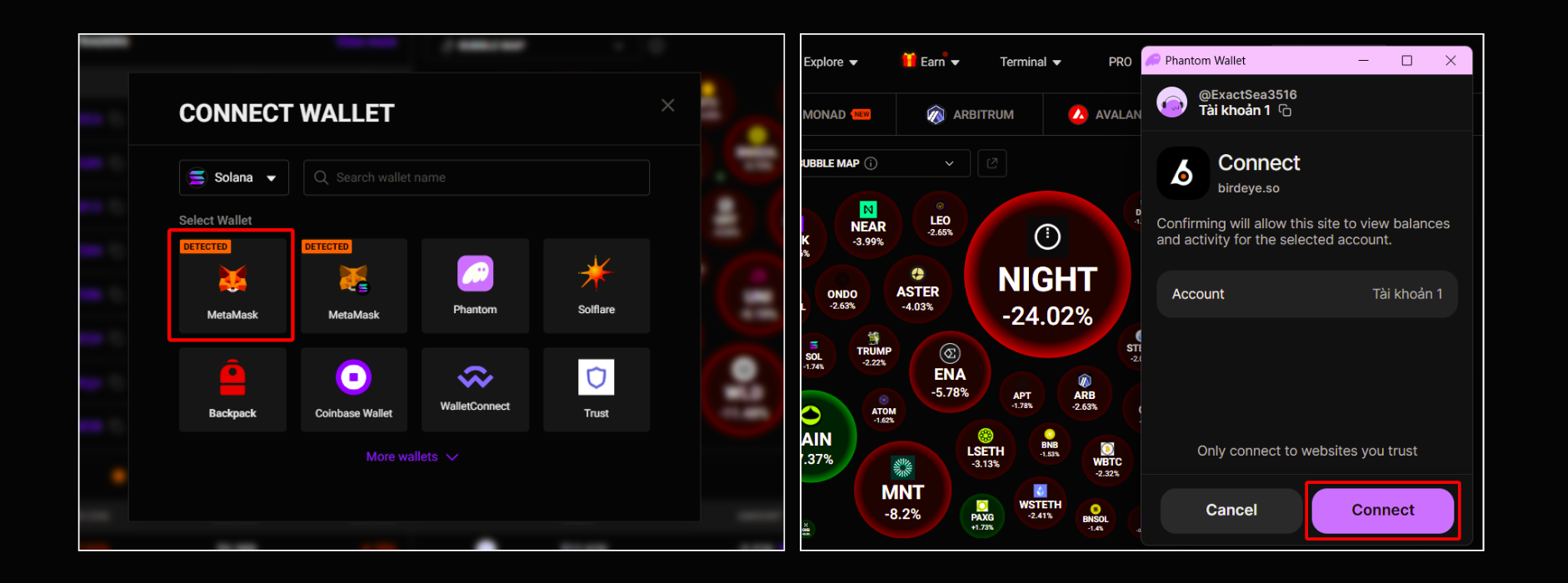
And then, Select MetaMask and proceed with the connection.
That’s it!
Now you’re ready to trade directly on Birdeye.
Good luck with your investments!
Updated 3 months ago