
How to read the Wallet Analyzer detail page (other wallet)
Understand a trader's entire activity at a glance.
The Wallet Analyzer Detail Page gives you a complete view of a trader’s activity, performance, and trading style. By understanding this page, you can quickly evaluate whether a trader is worth following, learn from their strategies, or spot potential opportunities.
Example Walkthrough
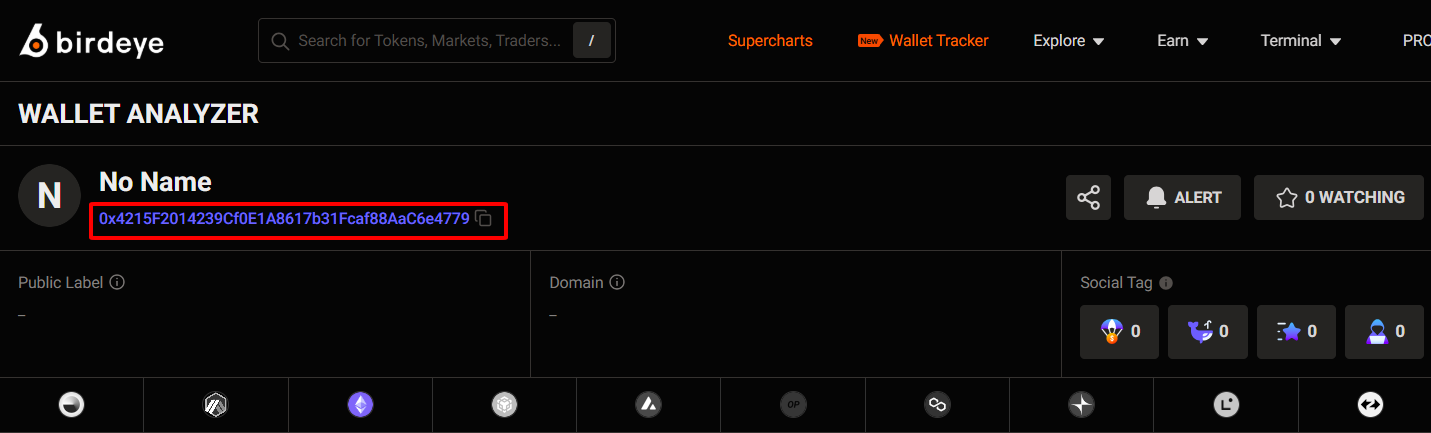
At the top, you’ll see the wallet name, wallet address, and quick actions:
- Alert button → Get notified when this trader makes a new trade
- Watching → Save the traders you want to follow

Key 7-day stats are displayed here:
- 7D Volume → Total trading volume
- 7D PnL → Profit or loss in 7 days
- 7D Trades → Number of trades made
- 7D Tokens Traded → How many different tokens were involved
💡 These numbers let you quickly answer two questions:
- Is this trader actually profitable?
- How active have they been recently?
Token Traded
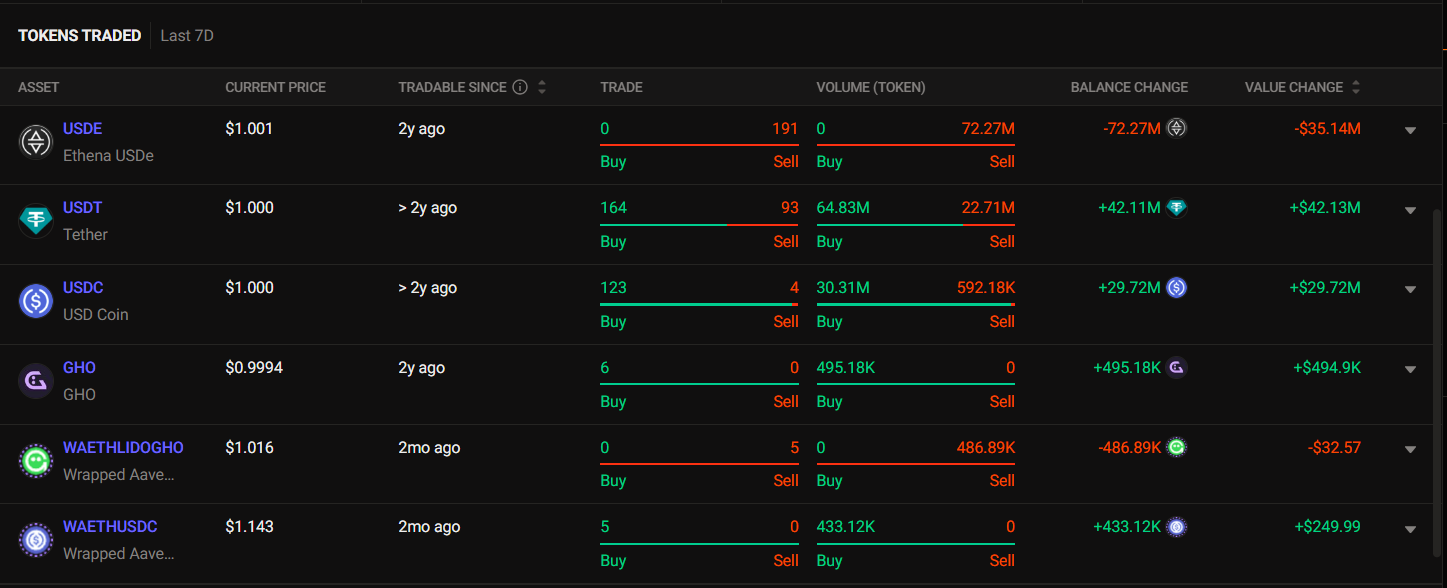
This table shows which tokens were bought or sold, along with:
- Current Price
- Trade Volume
- Balance Change (amount held after trades)
- Value Change (profit/loss from the trades)
💡If you click on any token, you will see that token's transaction history.
Trading activities
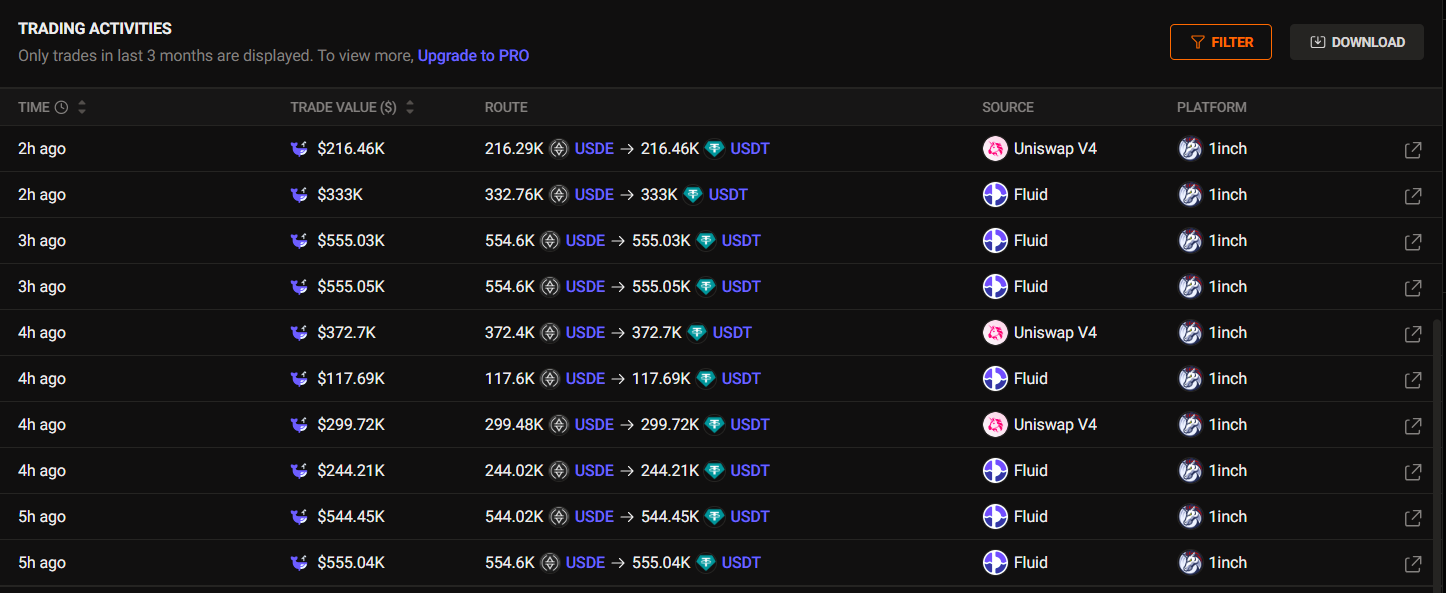
Here you’ll see a timeline of their most recent trades, including:
- Trade Value: The size of each trade
- Route: Which token was swapped into which
- Source: The original token or blockchain used for the trade
- Platform: The exchange or service where the trade happened
💡Pro Tips
You can edit the Wallet name for easier reference by using Wallet Label.
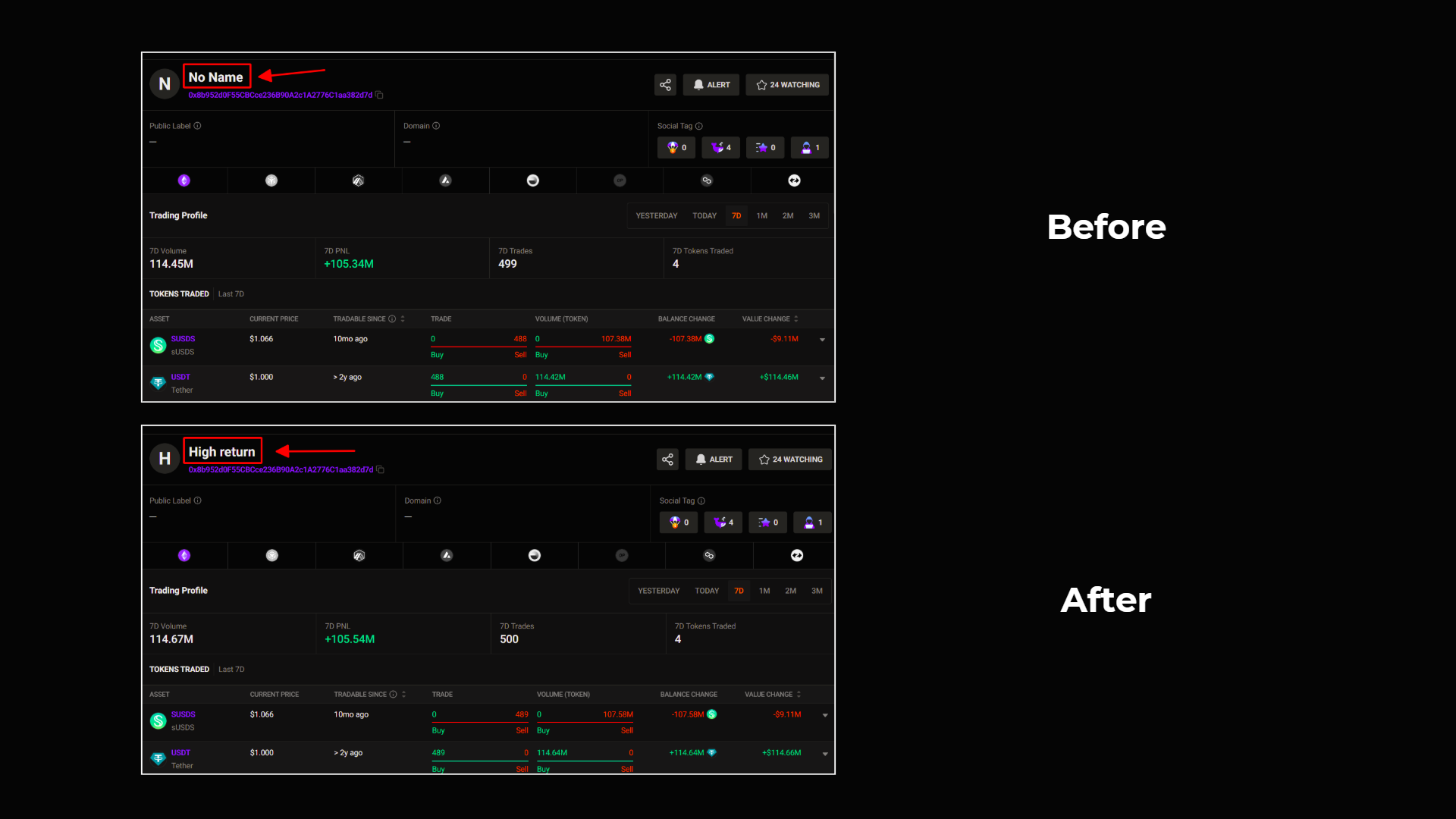
With Wallet Label, you can:
- Assign a custom name to the trader (e.g., “Stablecoin Whale”, “High-frequency Trader”)
- Easily categorize and find traders you care about
- Avoid confusion when tracking multiple traders at once, instead of relying on long and complex wallet addresses
You’ll need:
Unlock more with Pro
| PRO Features | FREE Users | PRO Users |
|---|---|---|
Download Data as CSV
| ❌ | ✅ Up to 100 files/month |
| View Trading Activities | Last 90 days | All historical trades |
Updated 3 months ago