
How to read a token detail page
In a market full of noise, the Token Detail Page is your control center. It’s where you filter out the noise and find the real opportunities. Take control of your decisions by understanding the data behind every token.
The Token Detail Page is designed for this exact purpose. It’s your all-in-one dashboard to analyze everything from price action to security risks, helping you confidently trade, all from a single place.
Here are the 6 key information you need to know when reading a token detail page.
[1] Check the overview
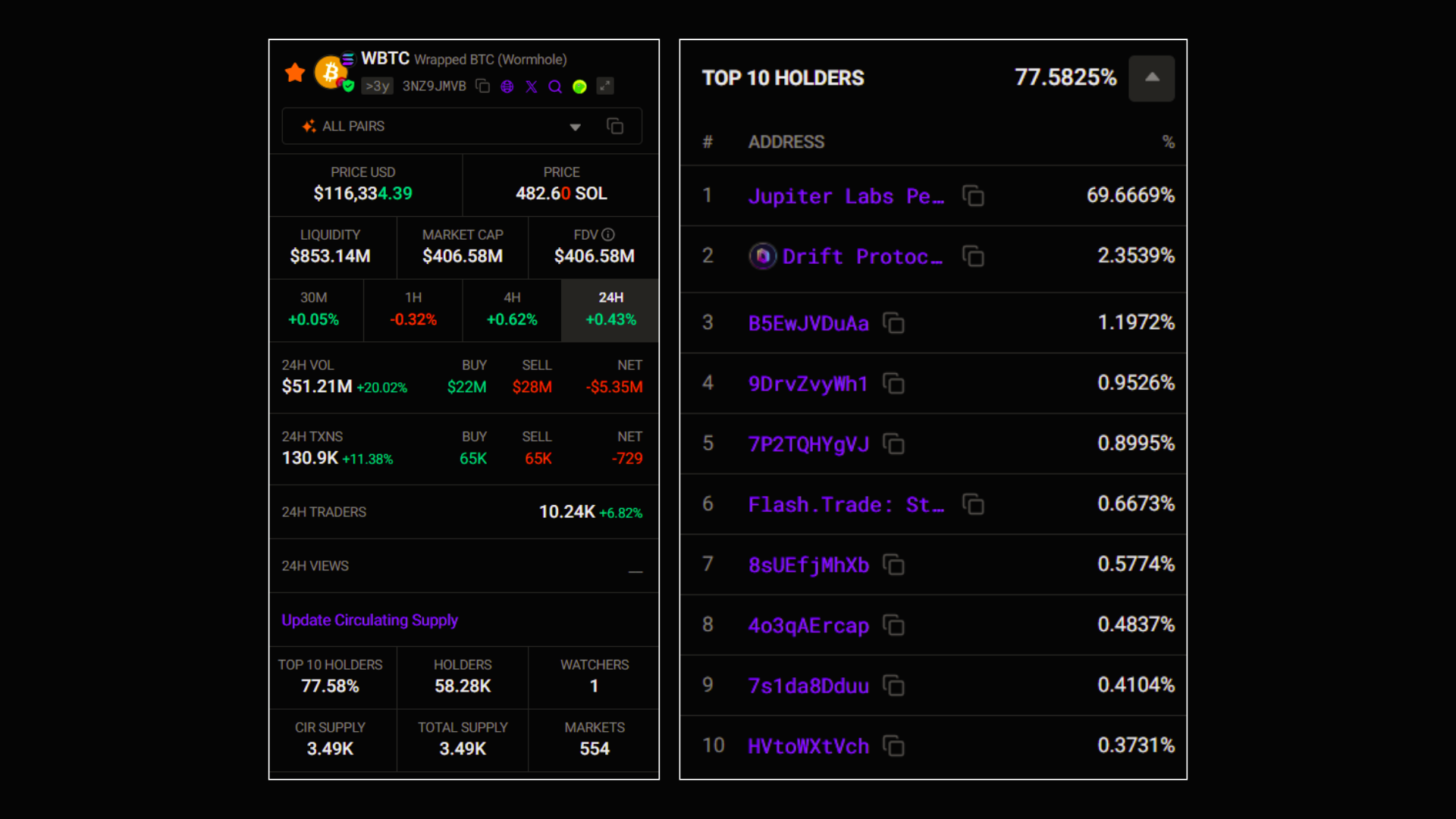
Here, you will find:
- Token Key Information: Liquidity, Market Cap, Price Volatility, Volume,…
- Top 10 holders: Wallet addresses and the percentage of the token they hold.
[2] Chart and Trading area
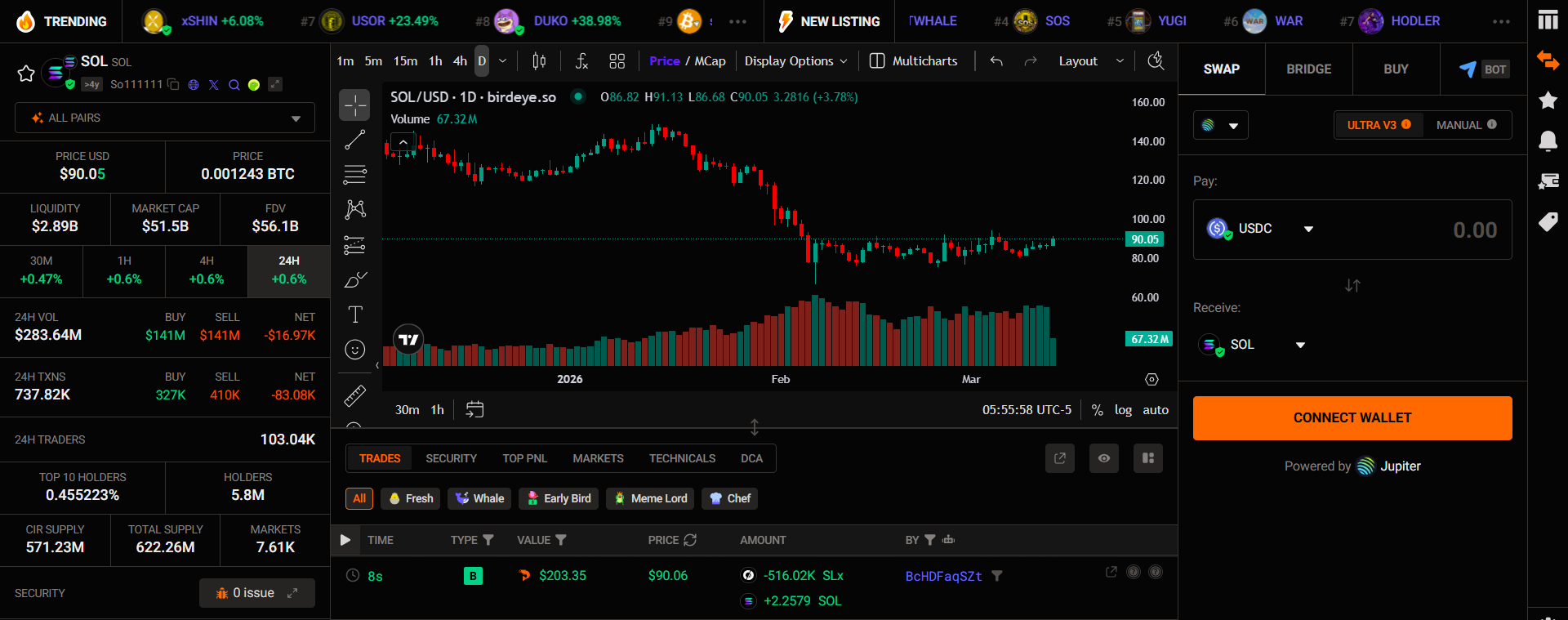
Here, you can:
- Visualize price action with a variety of tools to help you perform in-depth technical analysis
- Trade the token with the best aggregators
[3] Check recent trades & Traders’ behavior
Recent Trades
The Recent Trades tab shows you individual buy/sell transactions in real time.
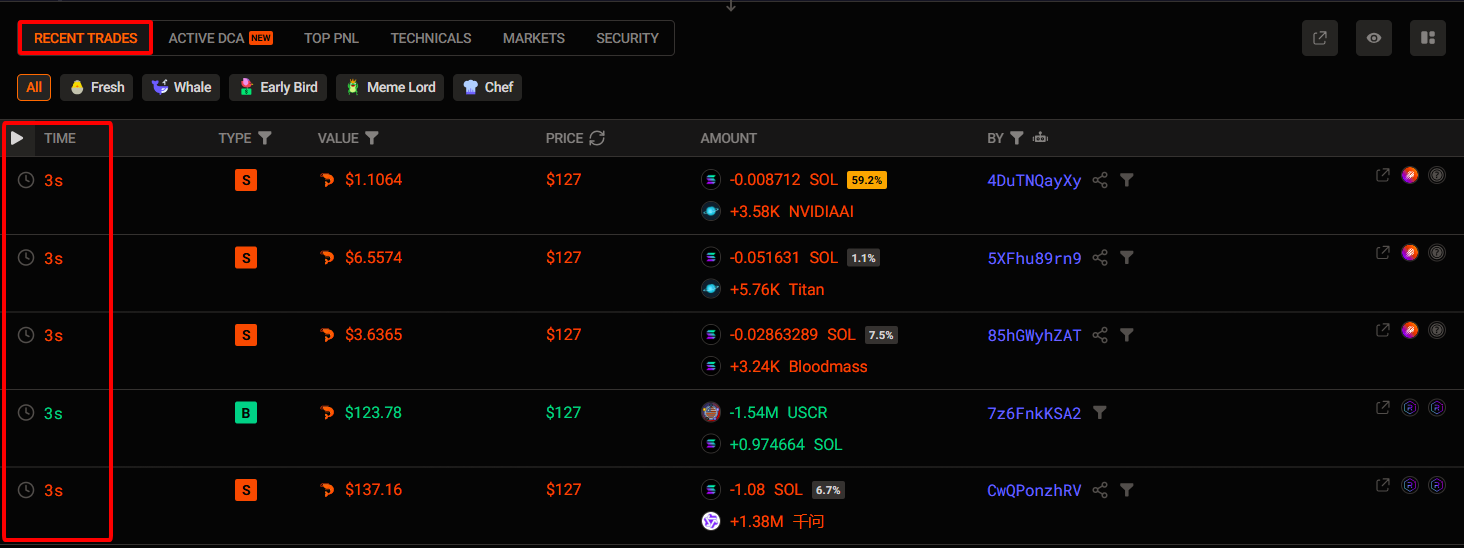
Here, you can:
[1] Filter transactions by wallet tags: such as Fresh, Whale, Early Bird,…
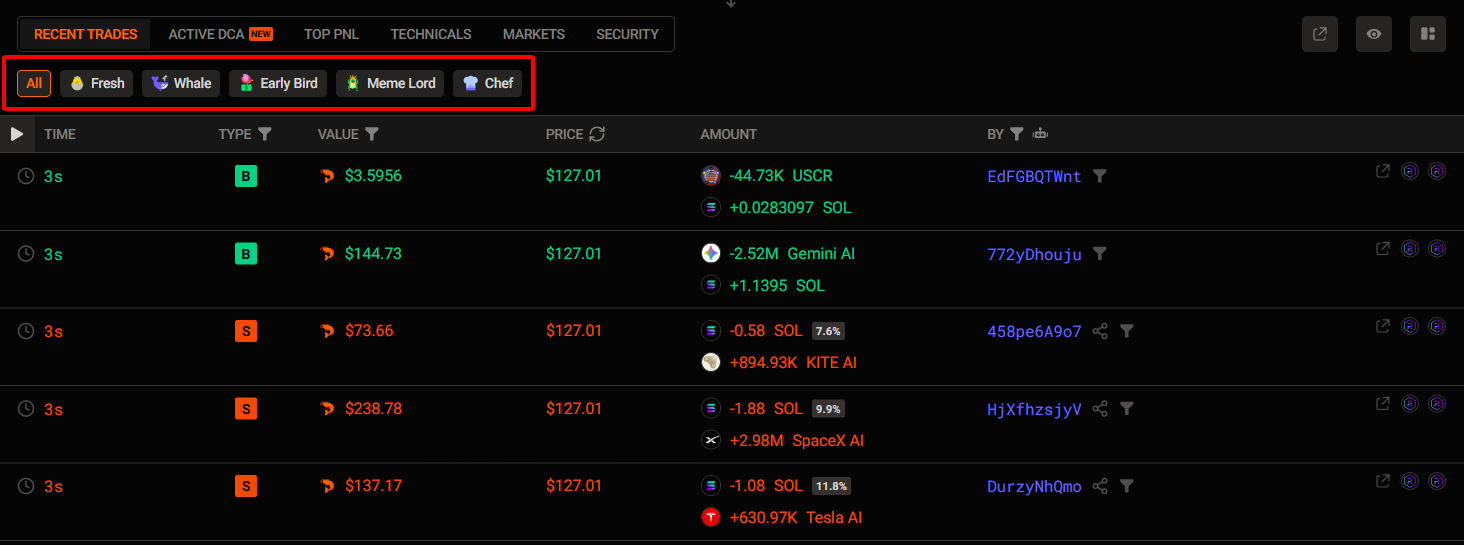
Specifically:
- Fresh: Newly created wallets
- Whale: Wallets with a large trading volume
- Early Bird: Wallets that spot opportunities early
- Meme Lord: Wallets that have a high success rate in trading memecoins
- Chef: Wallets that deploy the token
[2] Filter by transaction type: Buy/sell token, add remove liquidity
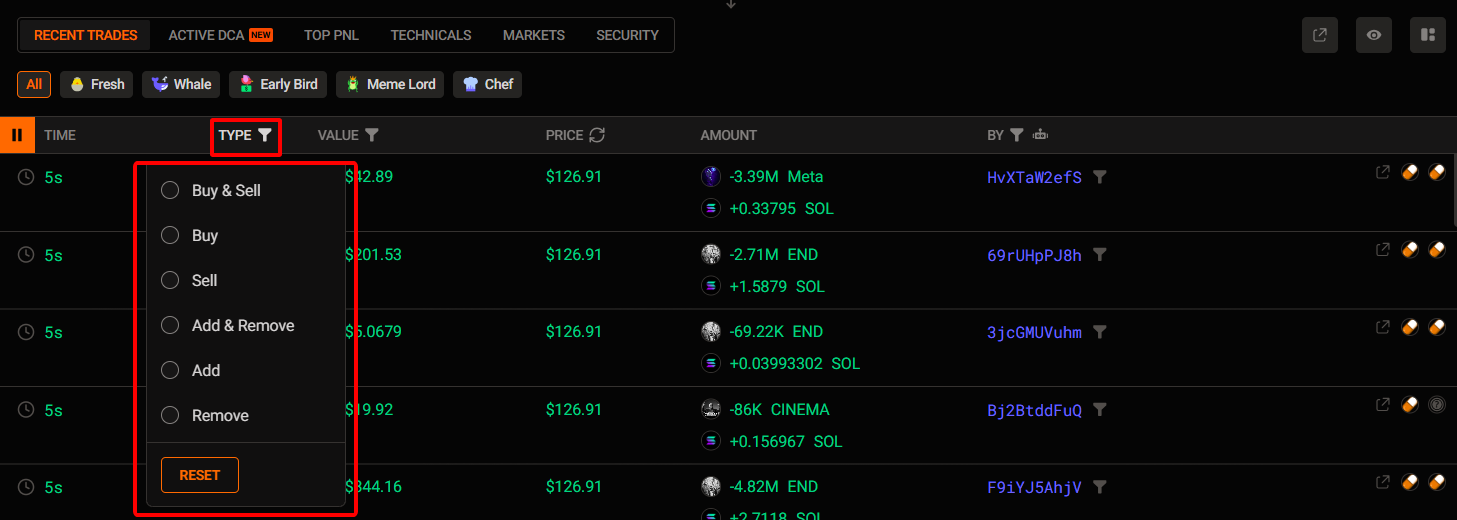
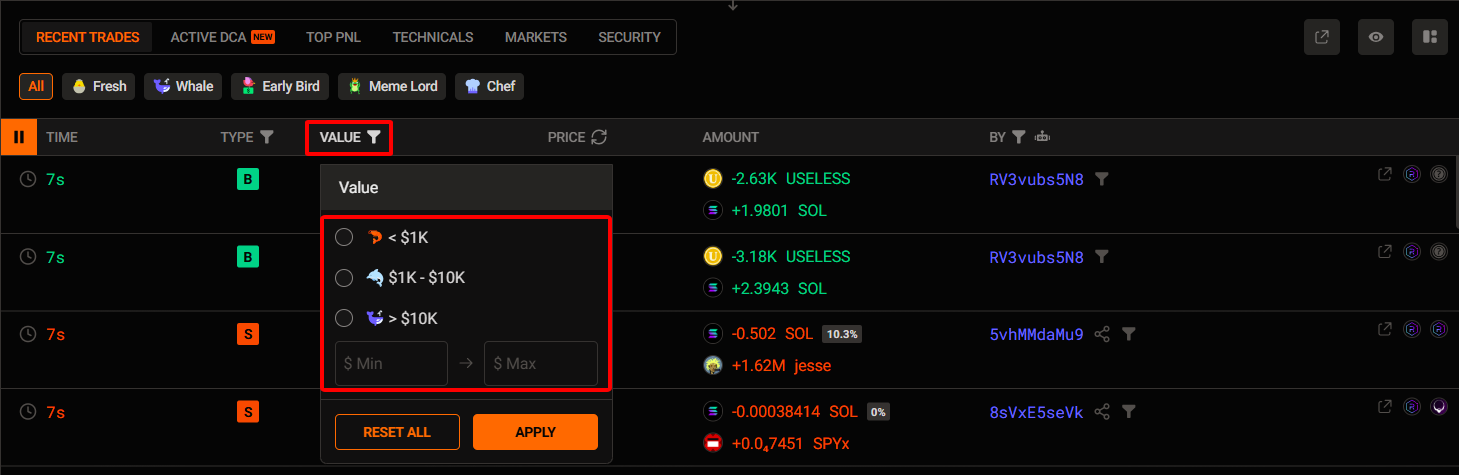
[3] - Filter recent trades by the size of the transaction
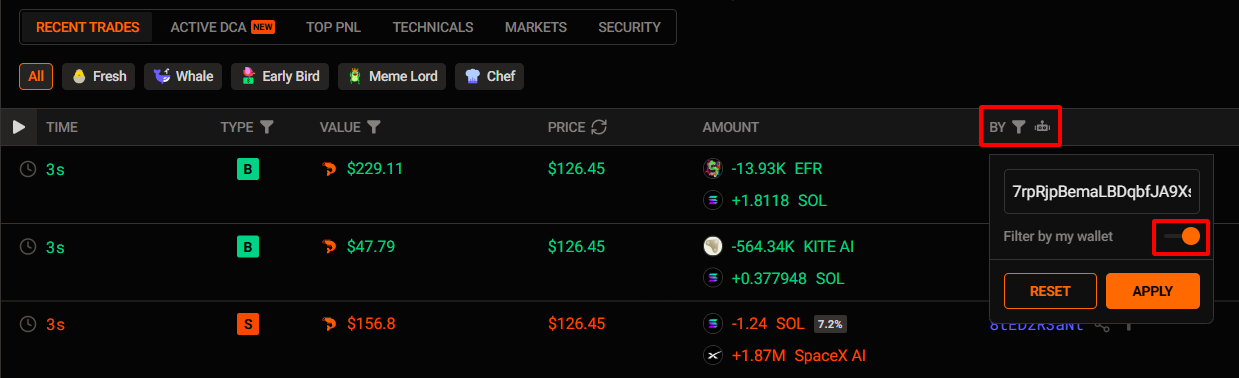
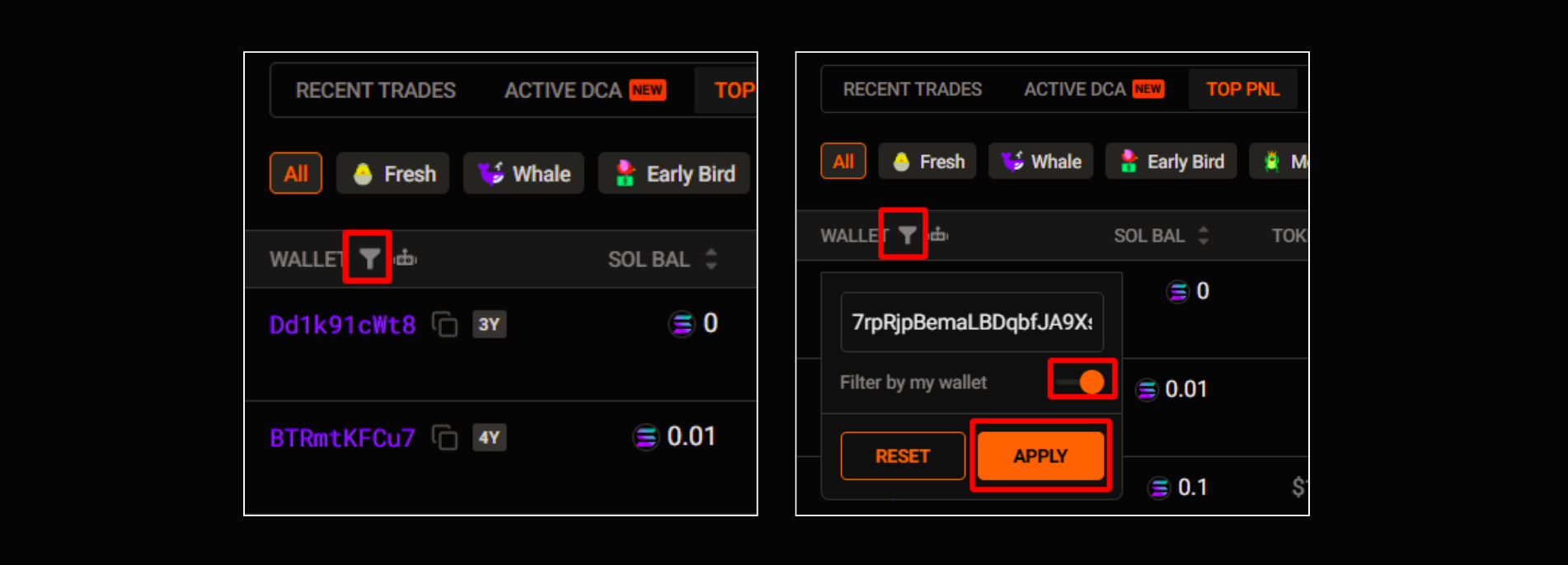
[4] - Filter recent trades by your own wallet or any specific wallet
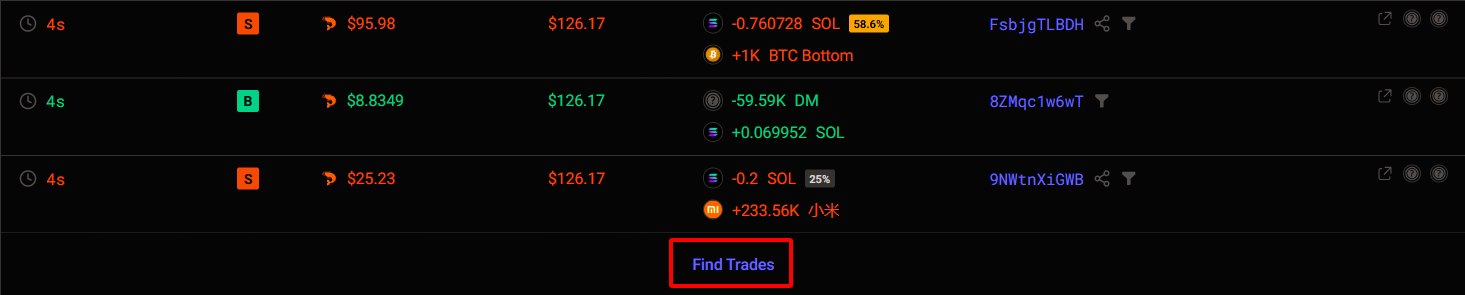
[5] View all trades for this token
Active DCA
The Active DCA tab shows you which traders have placed buy orders for this token on Jupiter using a DCA (Dollar-Cost Averaging) strategy.
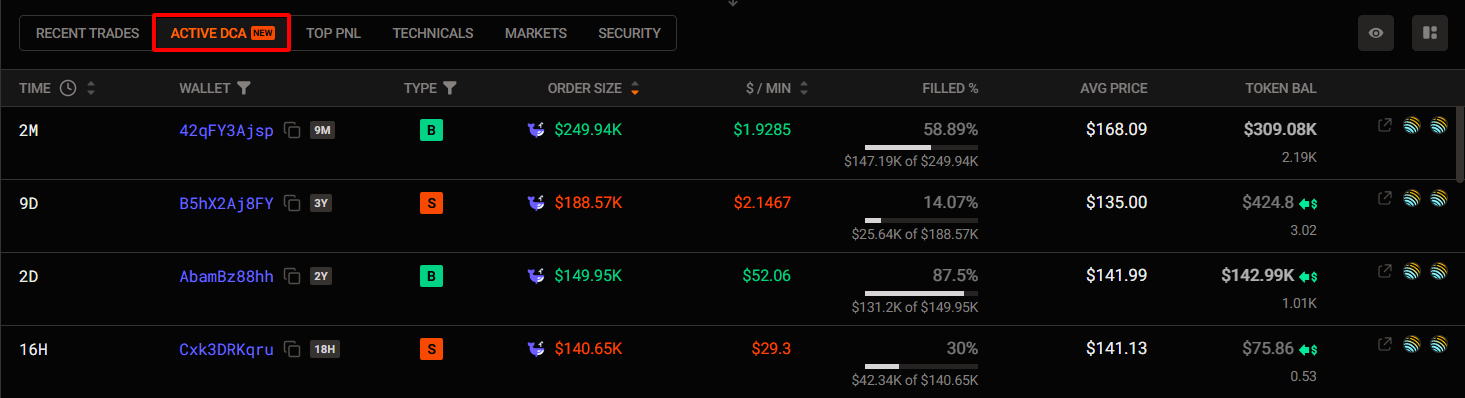
With it, you can:
- Find high-quality wallets (with clear buy/sell strategies)
- See the strategy’s average buy/sell price up to now
- View order size, token balance, and order status (Filled %)
Top PNL
The Top PNL tab provides a detailed breakdown of each wallet's profitability, including Realized PnL, Unrealized PnL, and Total PnL. It also shows their trading activities, with indicators like Bought/Sold and Average Buy/Sell.
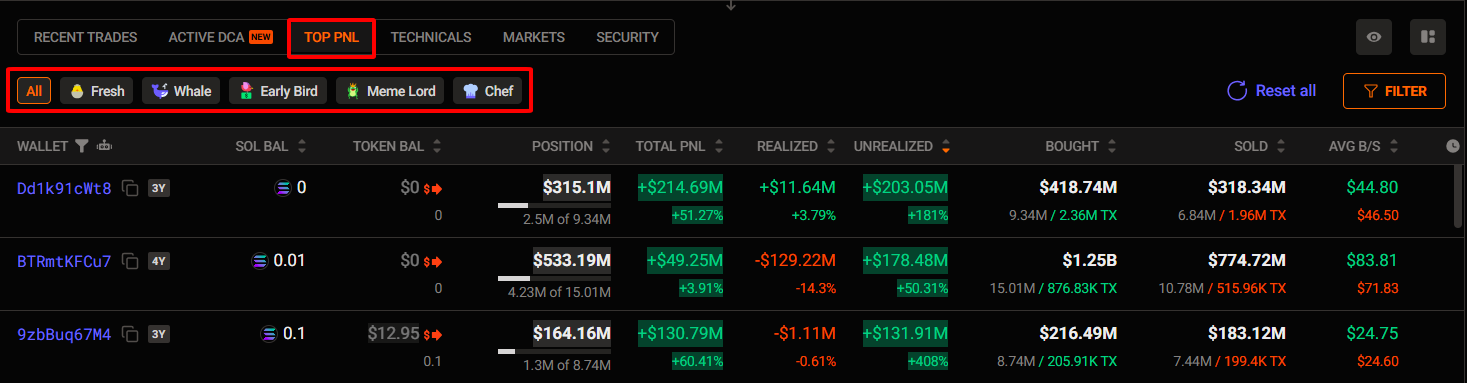
Here, you can:
- Find a list of the most profitable traders on this token. You can even filter them by wallet tags, such as Fresh, Whale,…
- Quickly analyze their trading performance on this specific token (Position, Total PnL, Realized, Unrealized,…)
- Follow them directly by clicking on their wallet address. This is the fastest way to track their moves, discover new opportunities, and see a full overview of their trading activity (Bought/Sold, ...).
💡 Tips for you:
You can use “filter by my wallet” to view details of your trades for this token (Position, total PnL, realized PnL…)
[4] Review technicals
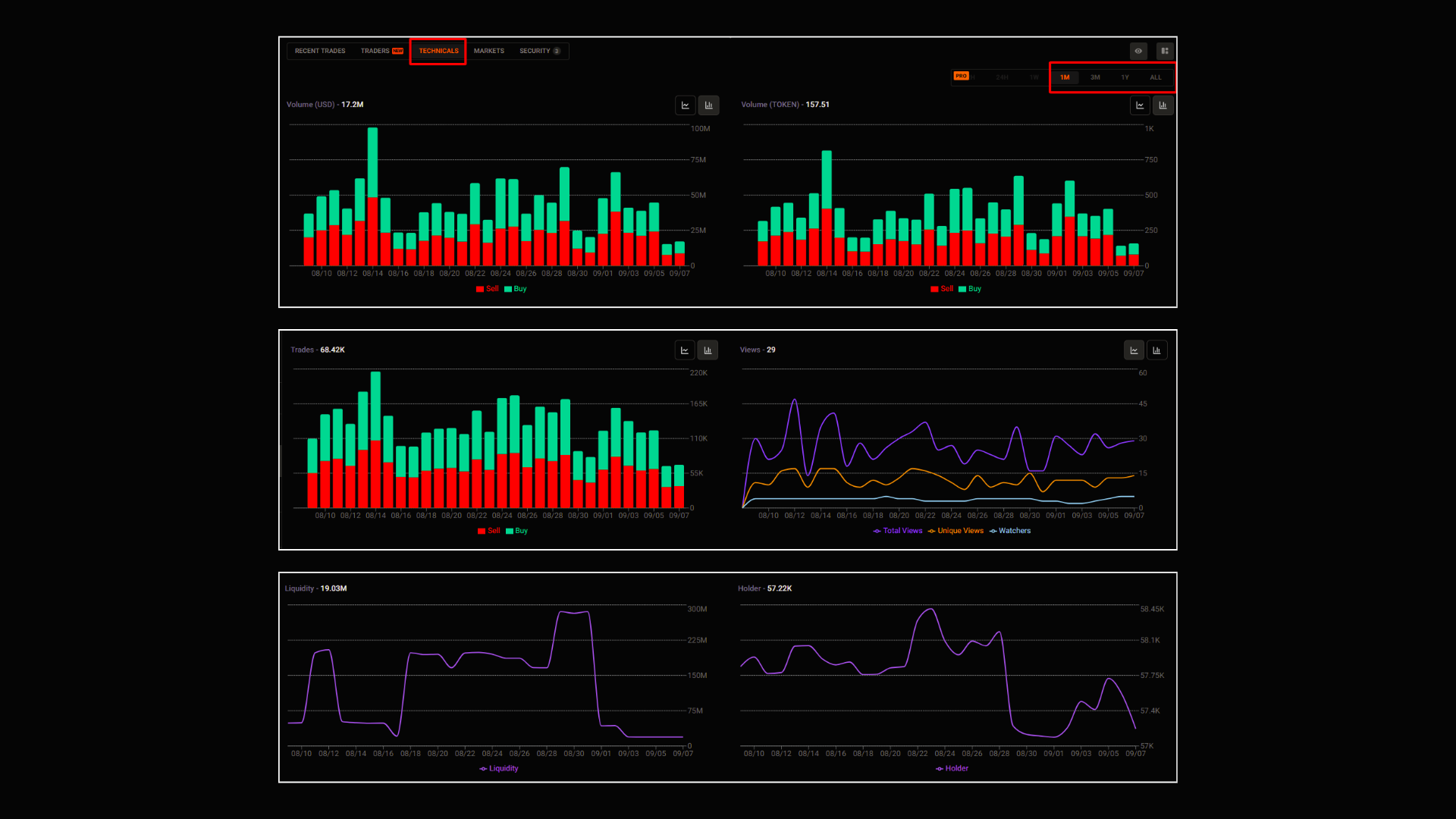
Here, you can assess the quality of the token by various historical data. Specifically, you can see:
- Volume (USD & Token)
- Trades, Views
- Liquidity, Holders, MarketCap, Supply,…
Across multiple timeframes.
[5] Market
The Markets tab provides you with all the trading pairs for this token available on the market.
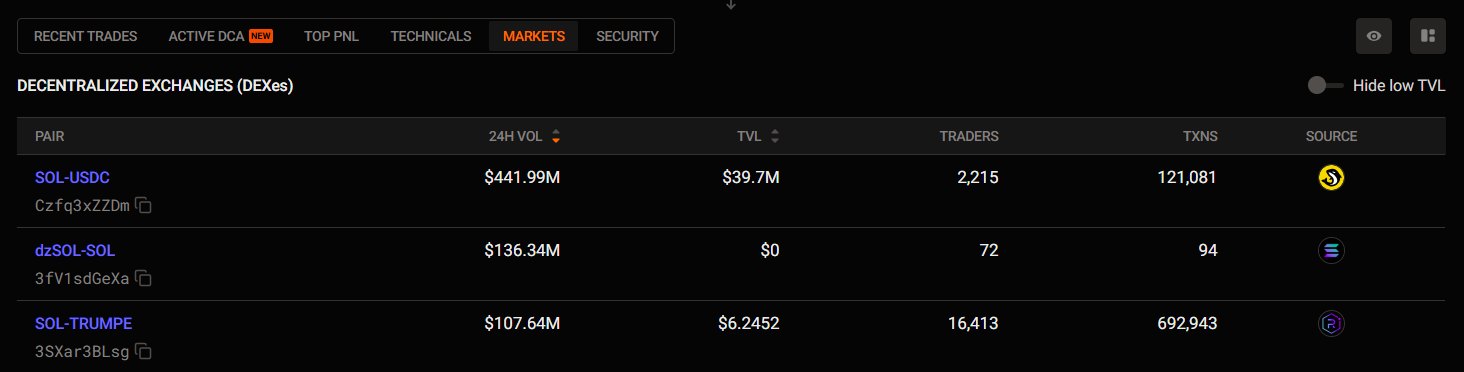
With it, you can:
- Find out which token pairs are traded the most
- Check the TVL to see which trading pair has the deepest liquidity
- See which trading pair is being traded by the most people
[6] Security
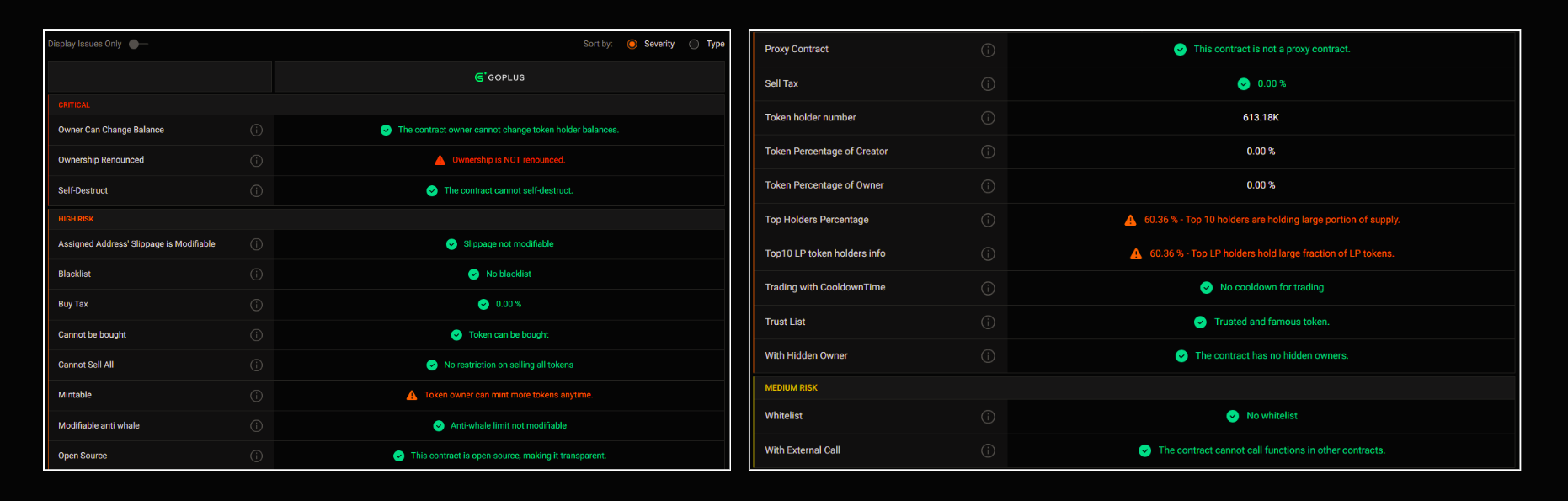
The Security tab will highlight potential risks of this token that you need to be aware of.
💡Tips for you:

If you want to understand more about the risk, just click the (i) icon
Unlock more with Pro
| PRO Features | FREE Users | PRO Users |
|---|---|---|
| Token Technical Analytics(Vol, TVL, Holders, Supply, etc.) | Timeframe 1 month only | Timeframe from 12h |
| Historical Data on Technical Charts | Last 30 days | All historical data |
Updated 6 months ago