
How to read Wallet Analyzer page
Wallet Analyzer is designed to help you quickly evaluate a trader’s behavior, performance, and capital flow across both historical and real-time data.
Below are the 3 key sections you need to understand when reading this page:
[1] Check the overview
Gives you a quick snapshot of the trader’s positioning and risk level.

Here, you will find:
- Wallet address, wallet age, and trader cohort classification
- Perp Equity – Total capital allocated by the wallet
- Bias – Current market direction of the trader (Bullish / Bearish)
- Exposure (Leverage) – Level of leverage being used
[2] Check the detail
Helps you understand how profitable, consistent, and active the trader is.
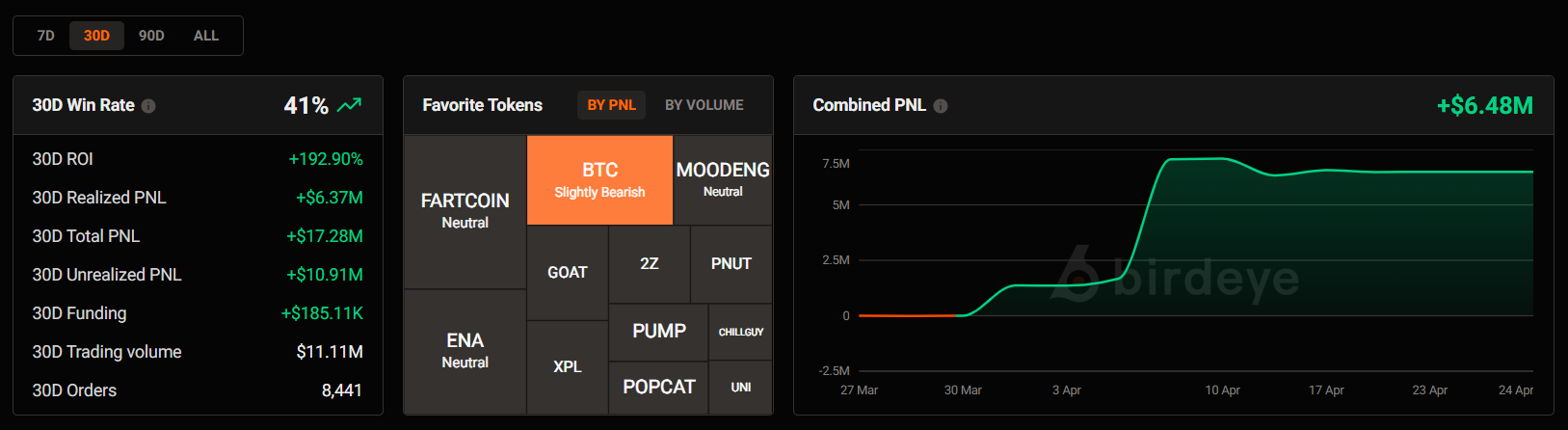
Here, you can evaluate the trader’s performance over a selected timeframe (7D / 30D / 90D):
- Winrate & ROI – Overall trading performance
- PnL (Realized & Unrealized)
- Trading volume & Orders
- Favorite Tokens – Most traded assets (Filter by PnL or volume)
- Combined PnL – Profit trend over time
[3] Check the activity
Shows the trader’s current positions, recent trades, and capital movements, helping you understand what they are doing in real time.
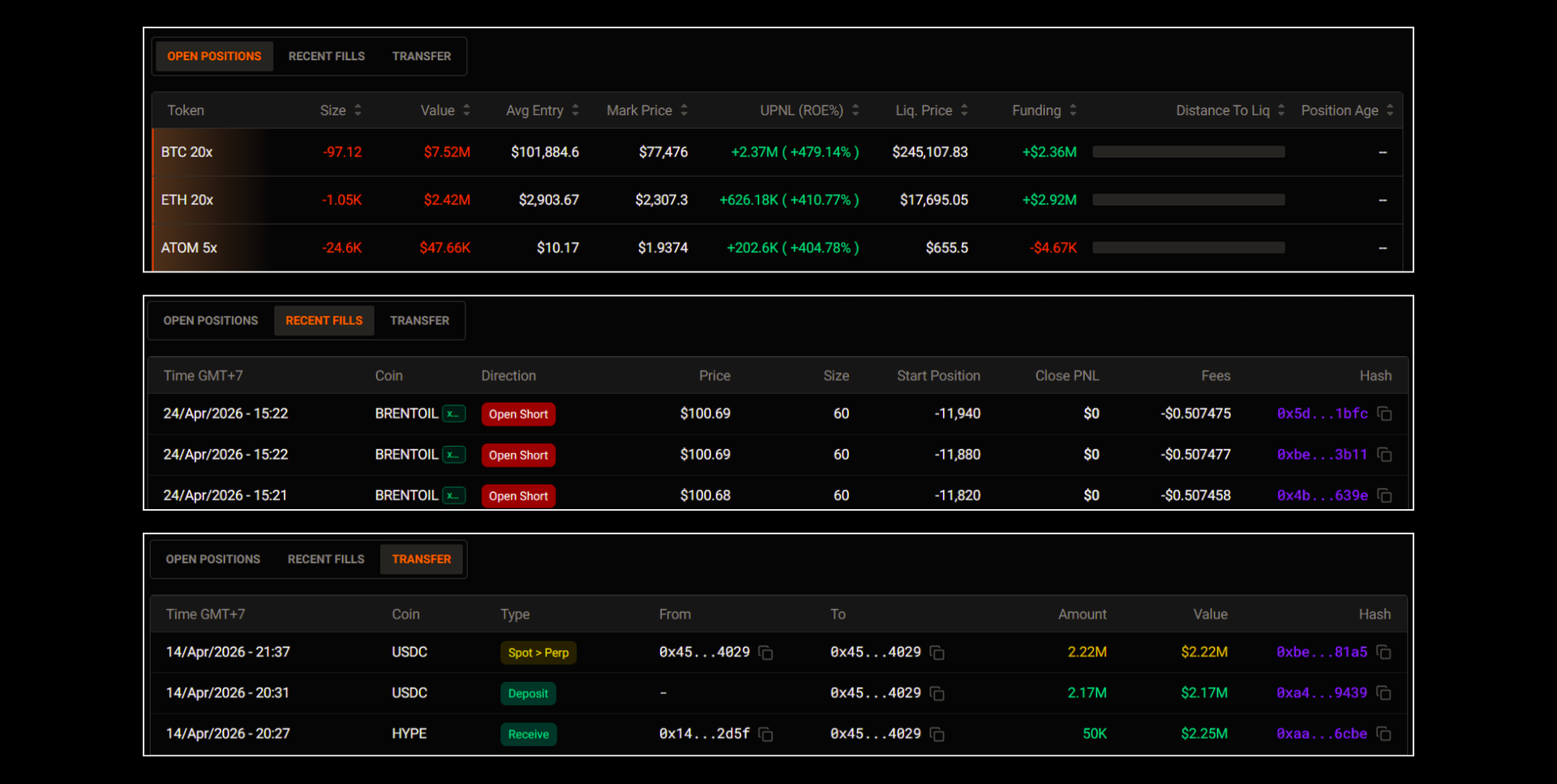
Here, you can track:
- Open Positions – Current active trades, including entry price, PnL, leverage, and liquidation risk
- Recent Fills – Latest executed orders, showing whether the trader is opening or closing long/short positions
- Transfers – Deposits, withdrawals, and internal transfers to monitor capital flow into the trading account
That's it!
Trade safely, stay sharp, and good luck on your investment journey!
Updated 3 months ago
Did this page help you?