
Alerts
Save up to 90% of your time and energy so you can monitor the crypto market more efficiently.
Why should you use this feature?
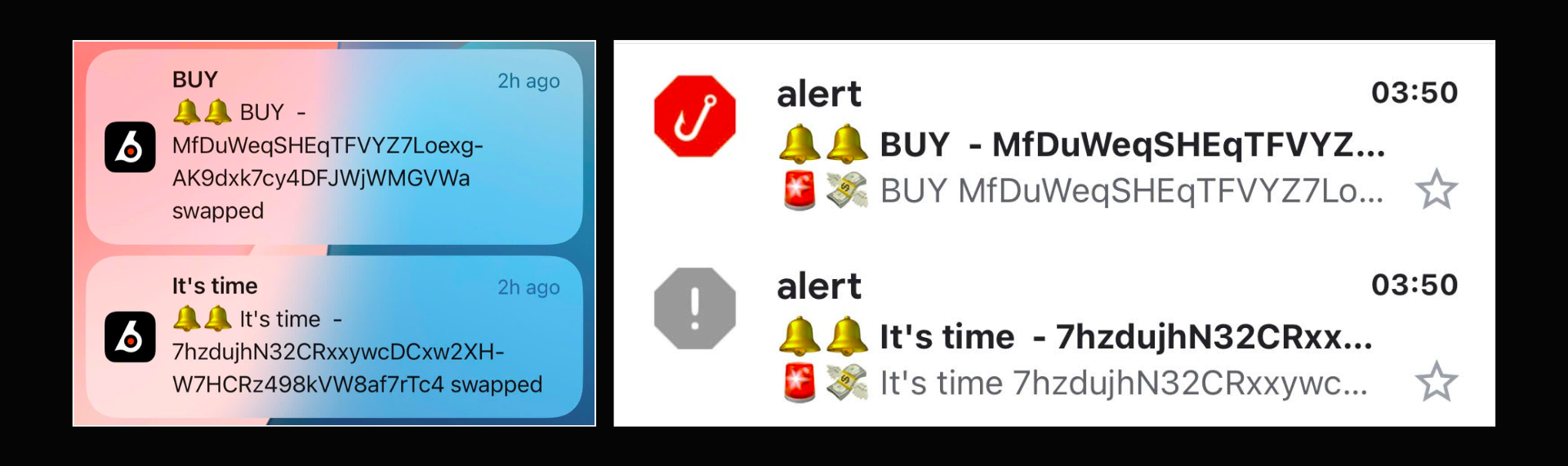
Alerts help you seize every trading opportunity and react quickly to market movements without the need for constant monitoring.
How to set alerts
Two types of Alerts you should know:
- Token Alerts
- Wallet Alerts
Alright, let’s get started!
Step 1: Create a alert
To start, click here (alert) or go to 'Alert'.
💡Similarly, on the website, you can also create an alert on the mobile app and mobile web.
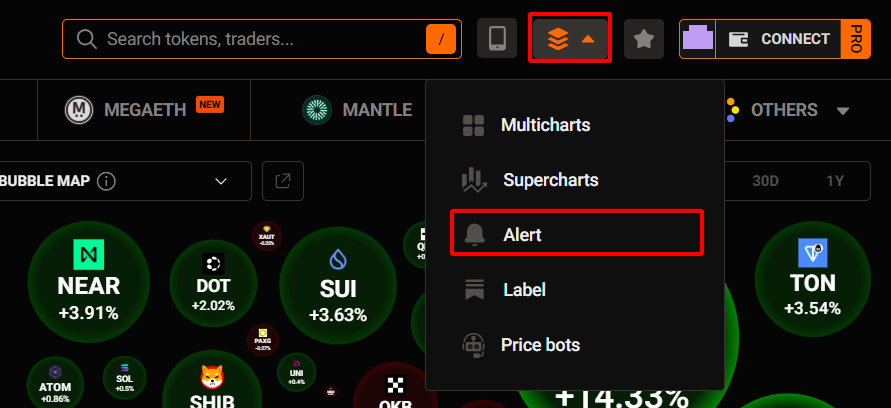
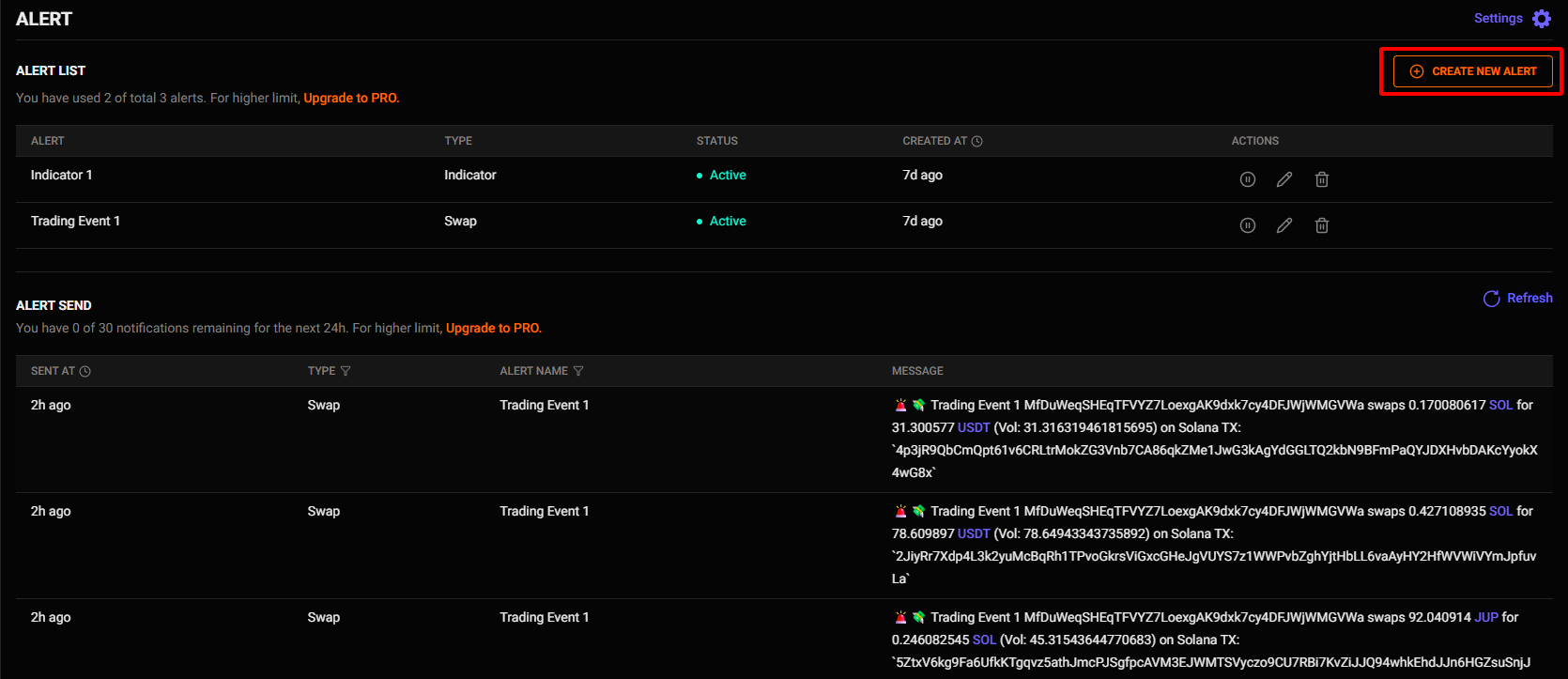
Then, click ‘Create new alert’.
Now, pick the kind of alert you want to create to begin.
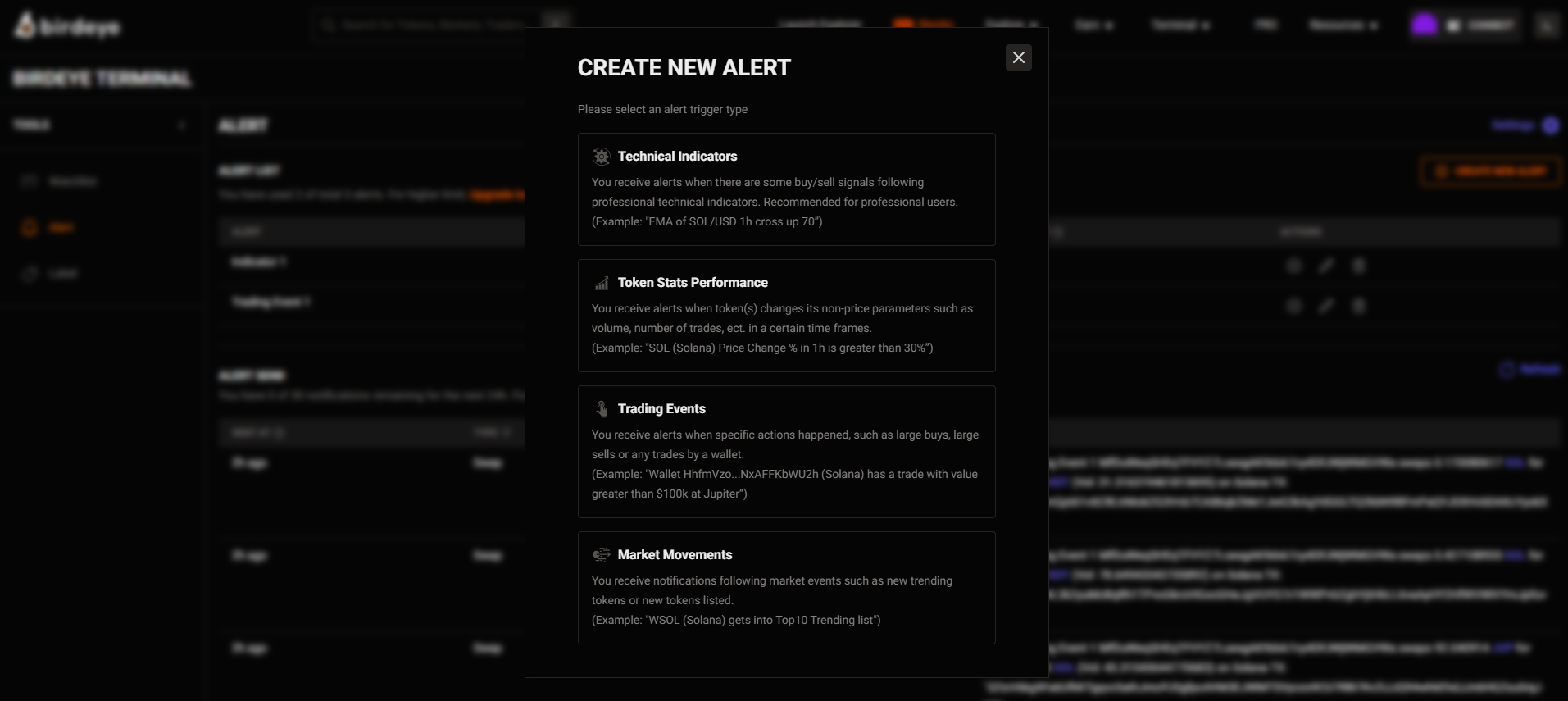
[1] Technical Indicators
You will receive alerts for buy/sell signals based on technical indicators (EMA, RSI, MACD, Ichimoku,…). This is a specialized tool for technical analysis.
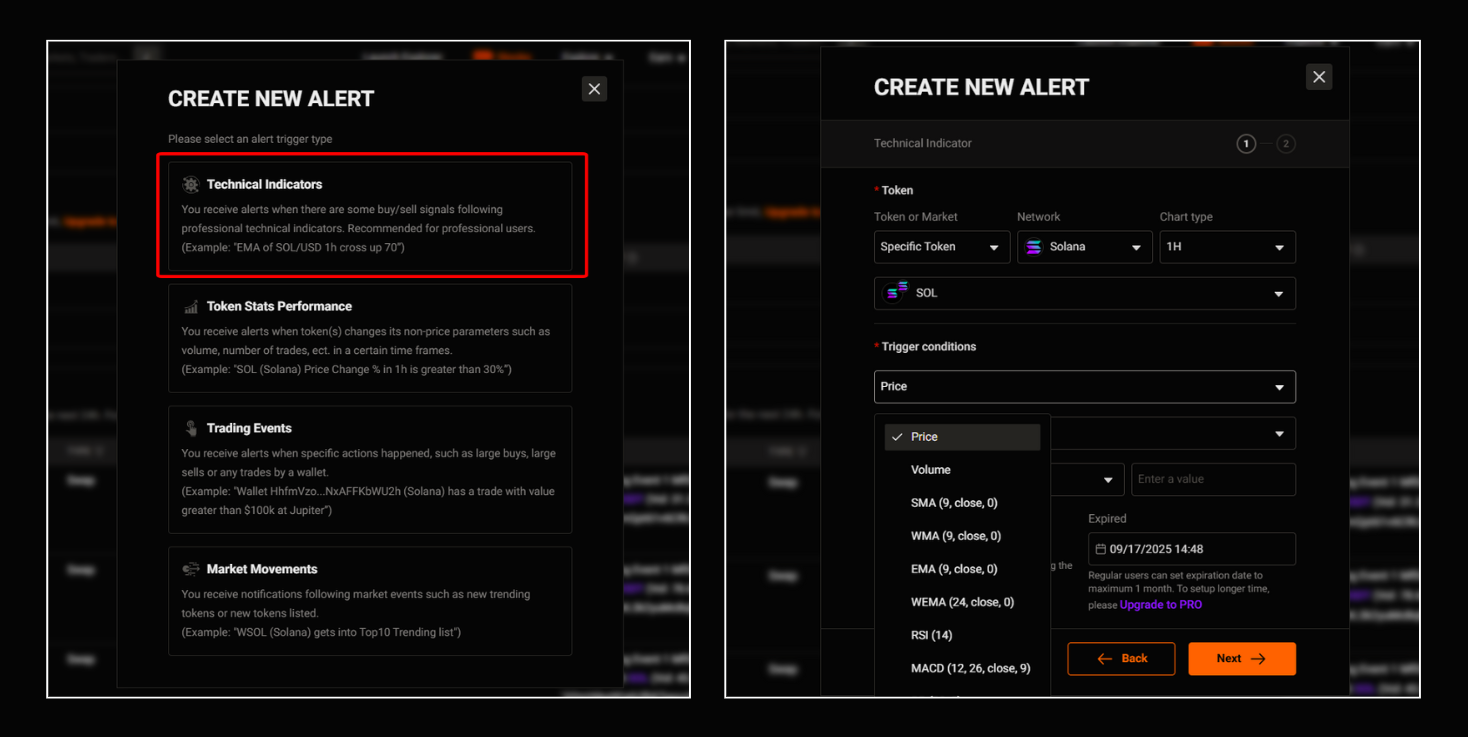
When to use:
- You want to catch entry/exit signals using professional technical analysis tools
- It's suitable for those who are experienced at reading charts and have in-depth technical analysis skills
[2] Token Stats Performance
You will receive alerts when a token has significant changes in its metrics: Trading volume, number of orders, price volatility percentage,…, over a specific period.
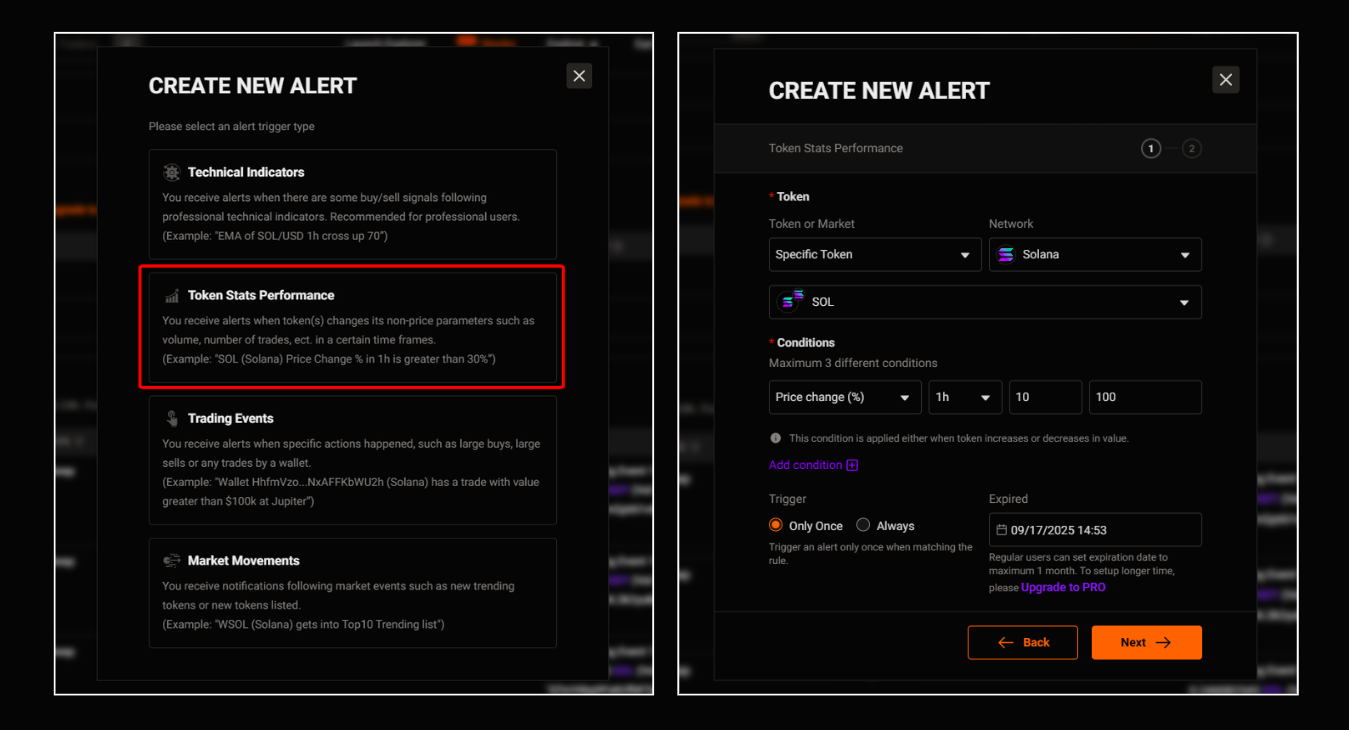
When to use:
- You want to catch unusual market movement
- You are monitoring less common coins with rapid price changes
- This is useful for scalping or short-term trading
[3] Market Movements
You will receive notifications about market events: new token listings, tokens trending.
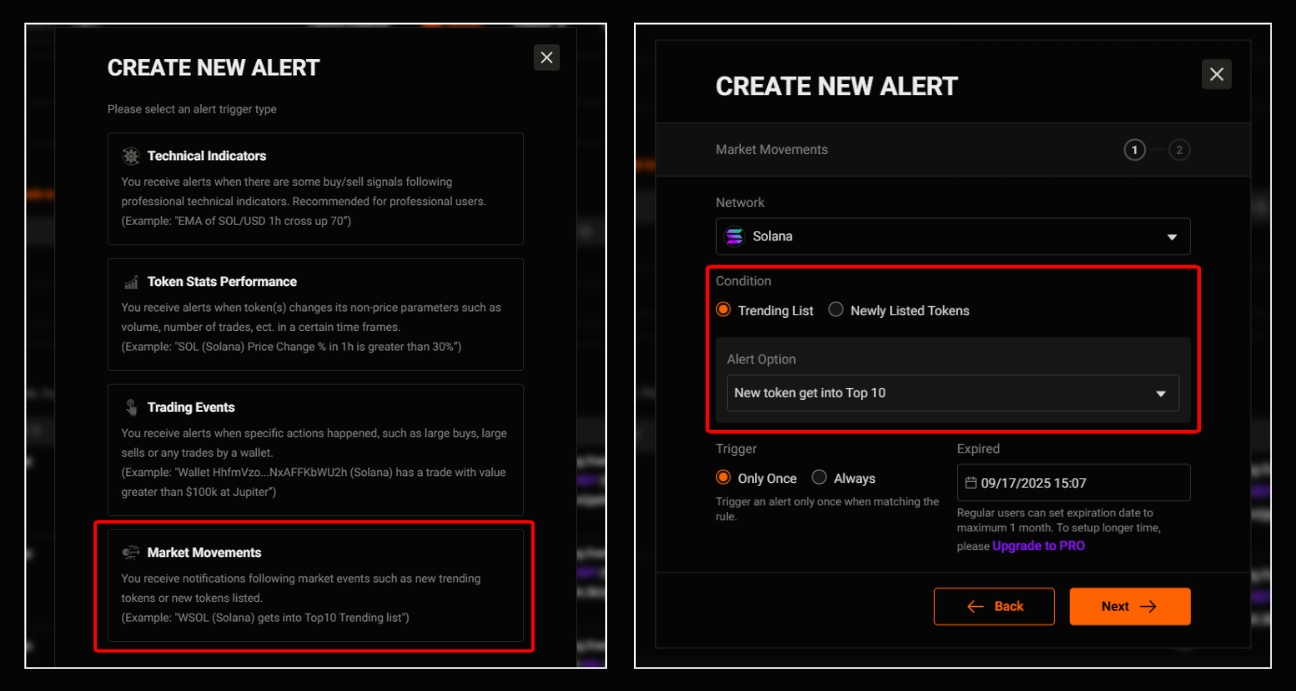
When to use:
- You are a hunter of new or trending coins
- It's suitable for those who enjoy short-term trend speculation or trading based on news
- This is a great way to find out which tokens are hot and in high demand
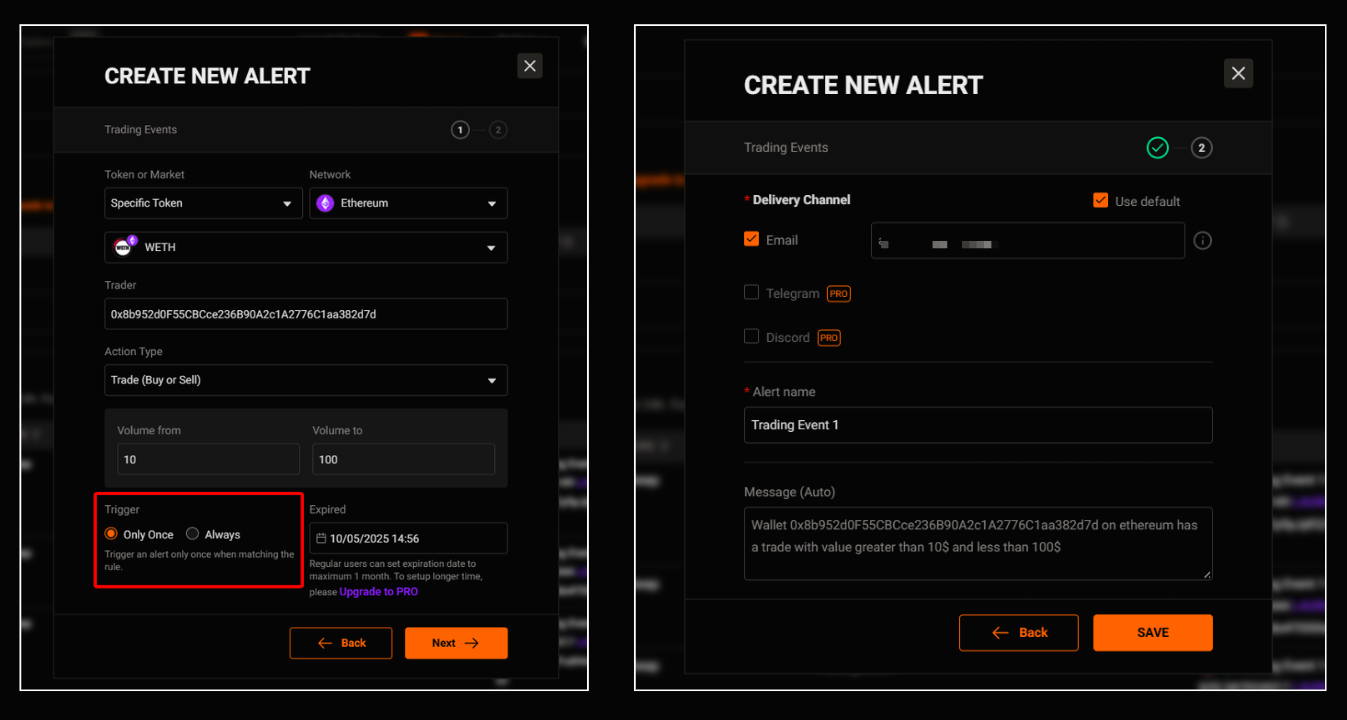
After that, you need to select a trigger condition:
- Only once
- Always
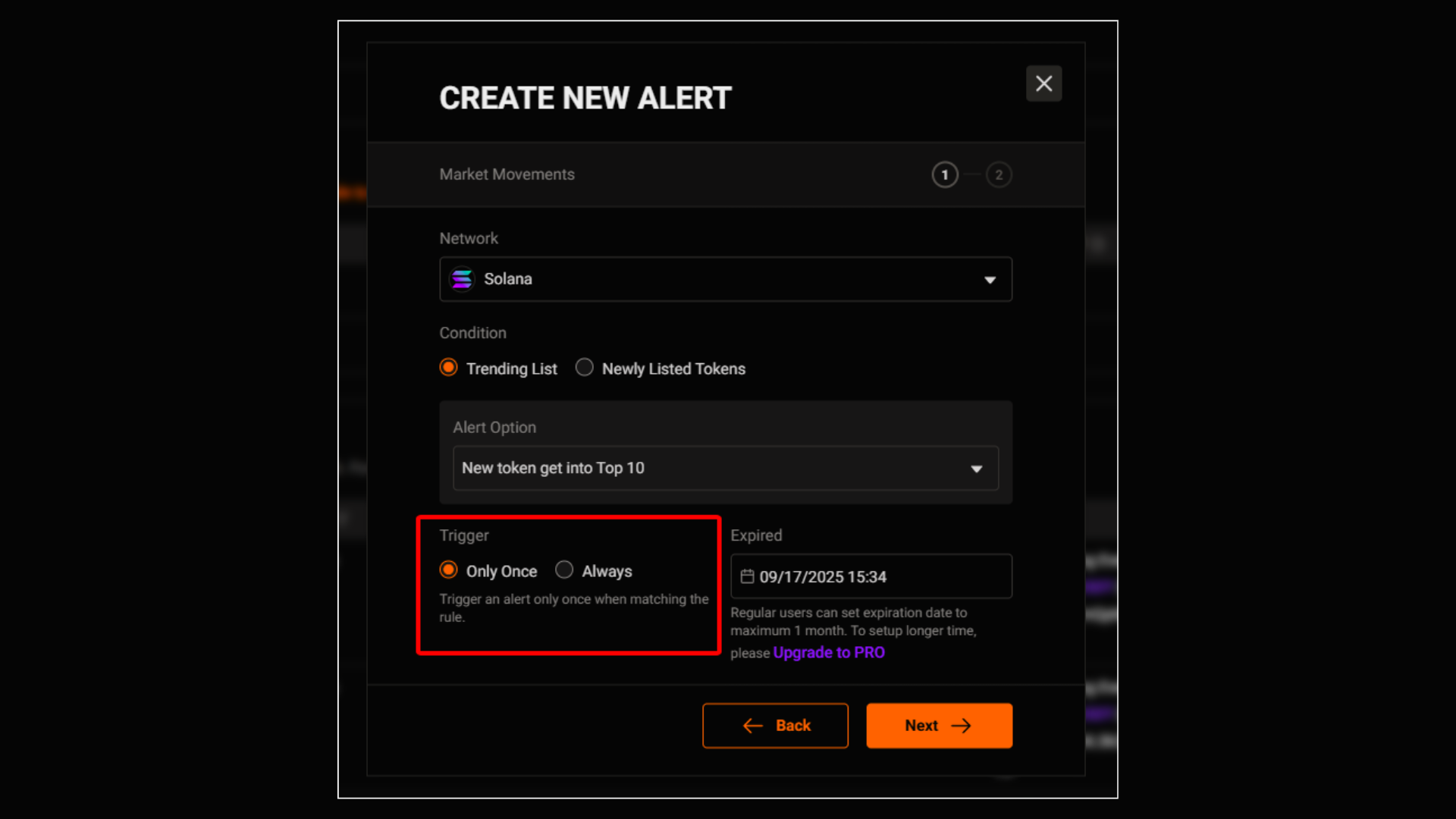
Finally, to complete the alert setup:
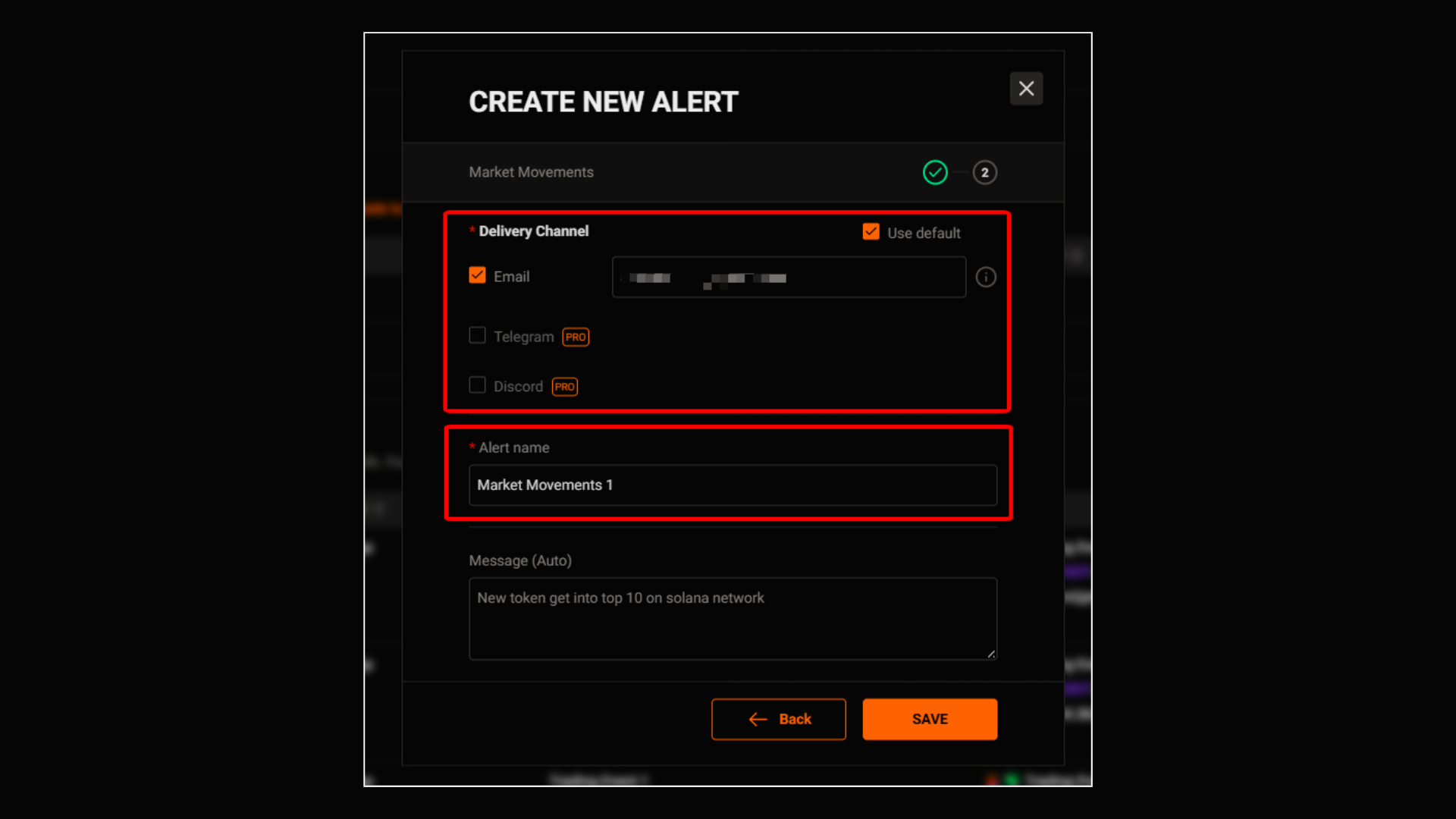
You need to:
- Choose a Delivery Channel
- Write an Alert Name, Message (Optional)
How to set alert for wallet alerts
Here, select ‘Trading Events’ and enter the wallet address along with the conditions you want to monitor for this wallet.
Then, alerts are triggered when a large transaction occurs (e.g., a whale wallet buying or selling a large volume).
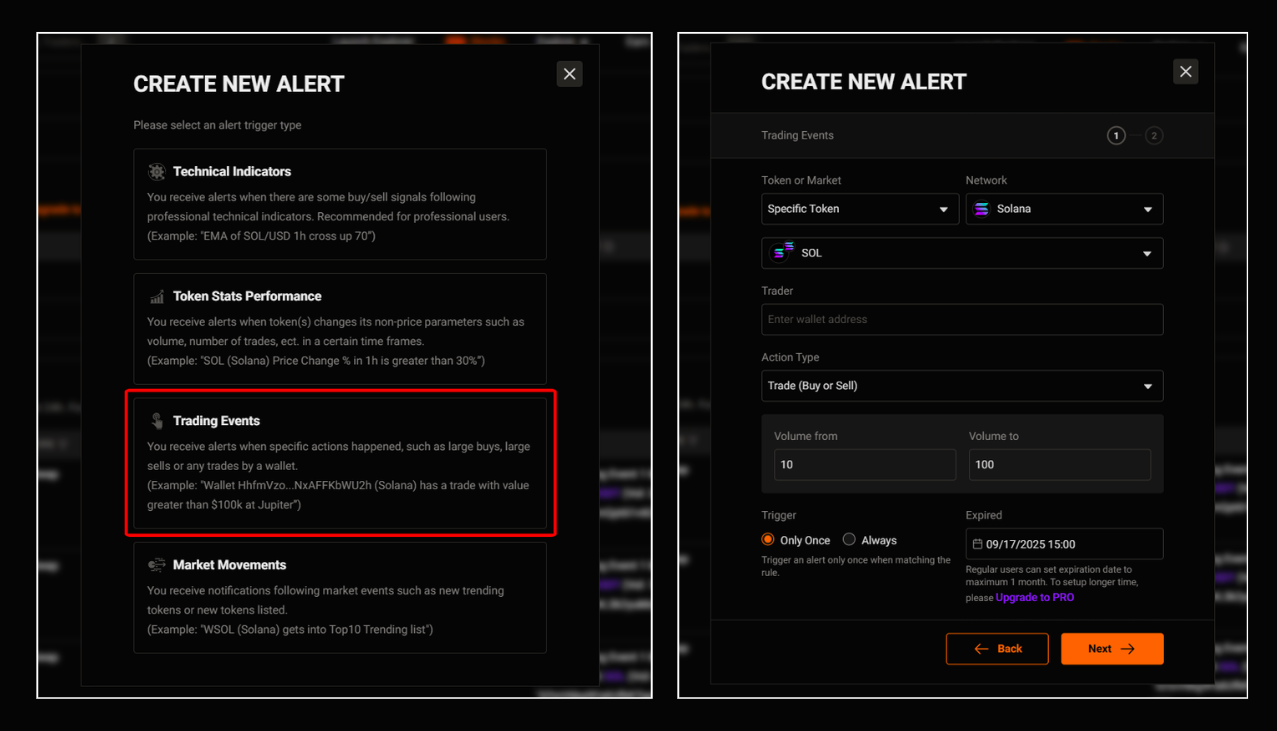
When to use:
- You want to track the actions of whales or large wallets
- You want to know when big money is flowing into or out of a token
- This can be used to follow big money or avoid potential sell-offs
After that, you need to select a trigger condition and complete the alert setup.
Step 2: Manage alerts
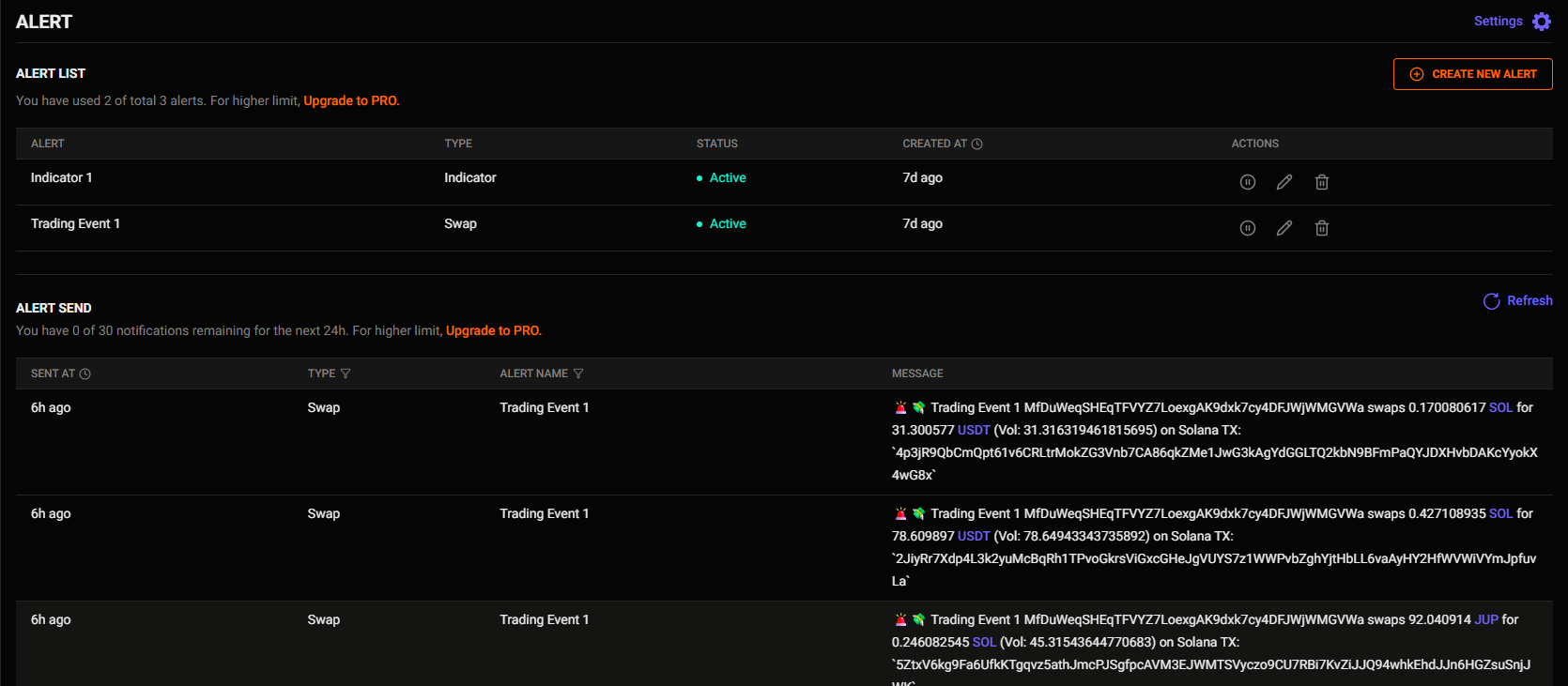
Here, you can manage the alerts you have created and the alerts that have been sent to you.
And if you want to:
- Stop an alert
- Edit an alert
- Delete an alert
Just click the icons in the Action column.
Unlock more with Pro
| PRO Features | FREE Users | PRO Users |
|---|---|---|
| Alert - Usage limit |
|
|
| Alert - Technical Indicator limit | Can set alert on the tokens you already knew | Can set alerts on All token |
| Alert - Delivery channels | Via Email | Via Telegram, Discord, Email |
Updated 3 months ago