
Supercharts
Command the market with a single view and time every buy-sell move with precision using Superchart.
Supercharts is the perfect choice if you want to:
- Anticipate the next price action
- Spot trend reversals before the crowd using Birdeye’s advanced indicators
- Analyze liquidity, volume, FDV, trader behavior, and more, all in relation to price on a single screen.
How to use Supercharts?
To start, click here (Superchart) or go to ‘Supercharts'.
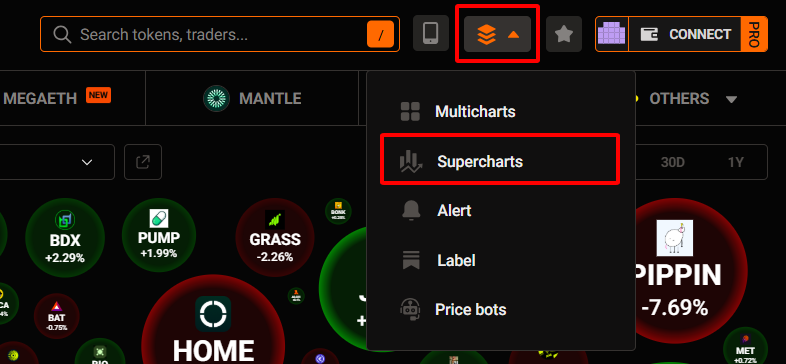
You’ll be taken straight to the professional trading interface.
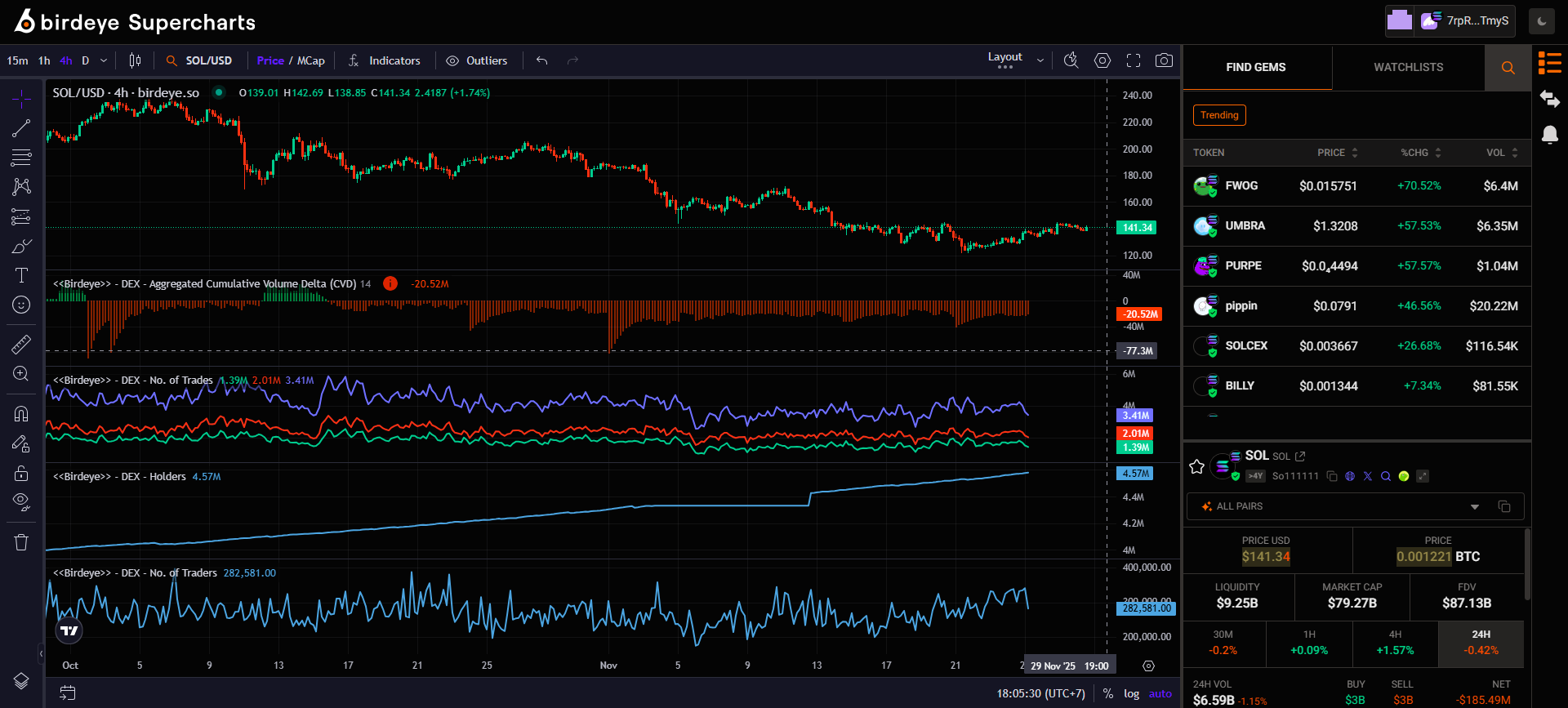
Here are the 4 key things you need to know to use this feature effectively.
#1 - Supperchart list
Superchart List lets you switch between tokens instantly without wasting time searching again.”

With it, you can find:
- [1] Find Gems: A list of trending tokens that are currently drawing strong market attention.
- [2] Watchlist: Your personalized list of favorite tokens you’ve saved earlier.
You’ll need:
2 - Indicators
Indicators are tools you’ll use frequently to build your technical analysis strategy.
What makes indicators on Birdeye special:
You get access to Birdeye’s exclusive indicators, powered by aggregated data from all DEXes - giving you far more accurate market insights.
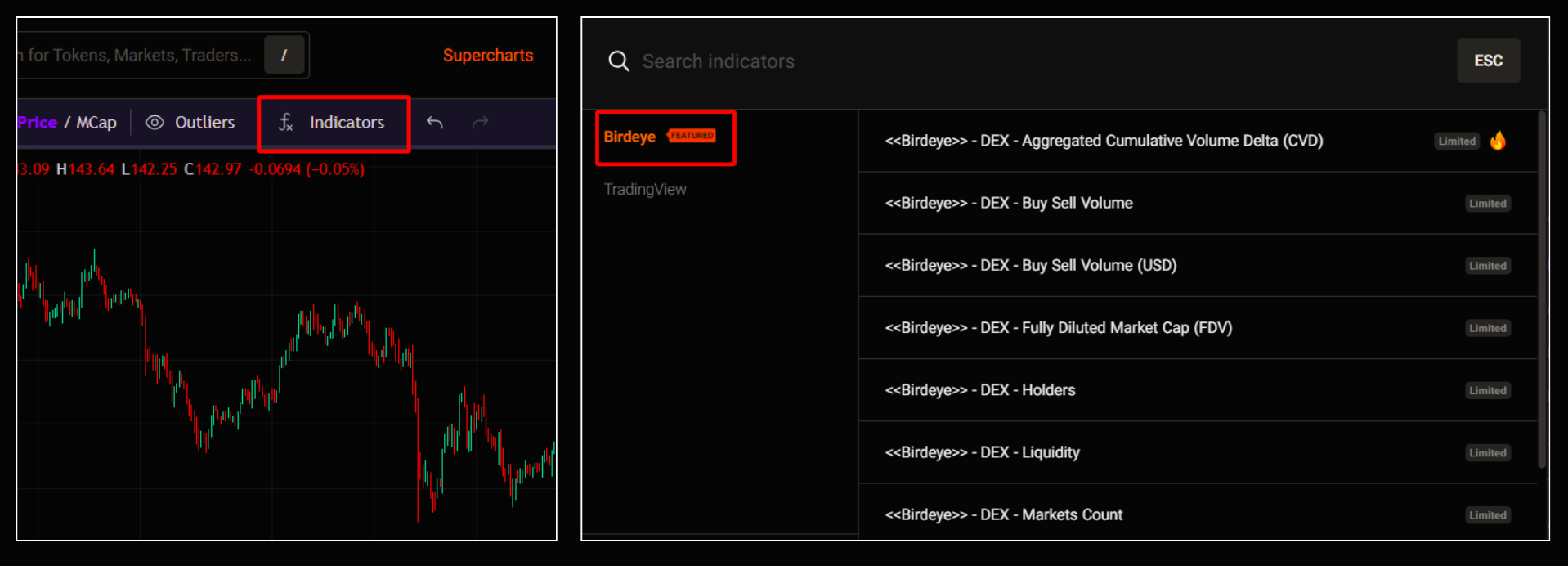
To get started, click ‘Indicator’ on the chart toolbar and select the type you want:
- Birdeye: Includes all exclusive indicators created by Birdeye.
- TradingView: Includes all the commonly used indicators.
3 - Trade
The Trade panel allows you to execute transactions instantly whenever an opportunity appears.

This ensures you never miss any important buy or sell moment again.
You’ll need:
4 - Notifications
Notifications is where you’ll see all the alerts you’ve previously set.

This helps you receive timely alerts and act immediately when the market moves.
You’ll need:
Updated about 1 month ago